
ഇൻസ്റ്റാഗ്രാമിലൂടെ സ്ക്രോൾ ചെയ്യുമ്പോൾ പെട്ടെന്ന് നിങ്ങളുടെ പ്രൊഡക്റ്റ് ഫോണിന്റെ സ്ക്രീനിൽ നിന്നും പുറത്തേക്ക് തെറിച്ചുവരുന്നതുപോലെ തോന്നിയാൽ എങ്ങനെയുണ്ടാകും? ആരെയായാലും ഒന്ന് നോക്കാൻ പ്രേരിപ്പിക്കുന്ന ഈ കിടിലൻ വിഷ്വൽ സ്റ്റൈലിനെയാണ് ‘3D Product Pop-out Image’ എന്ന് വിളിക്കുന്നത്. ഇൻസ്റ്റാഗ്രാം പോസ്റ്റുകൾ, റീൽസ് കവറുകൾ, സോഷ്യൽ മീഡിയ പരസ്യങ്ങൾ എന്നിവയ്ക്ക് കൂടുതൽ റീച്ച് കിട്ടാൻ ബ്രാൻഡുകൾ ഇപ്പോൾ ഏറ്റവും കൂടുതൽ ഉപയോഗിക്കുന്ന ട്രെൻഡിങ് സ്റ്റൈൽ ആണിത്.
നിങ്ങളുടെ സ്വന്തം പ്രൊഡക്റ്റിന്റെ ചിത്രം ഉപയോഗിച്ച്, യാതൊരു ഗ്രാഫിക് ഡിസൈനിംഗ് അറിവുമില്ലാതെ തന്നെ എഐ ഇമേജ് ജനറേറ്ററുകൾ വഴി ഇത്തരമൊരു 3D ചിത്രം നിങ്ങൾക്ക് എളുപ്പത്തിൽ നിർമ്മിക്കാൻ കഴിയും. ഇതിനായി വളരെ കൃത്യമായ ഒരു ‘പ്രോംപ്റ്റ്’ നൽകേണ്ടത് അത്യാവശ്യമാണ്. പ്രൊഡക്റ്റിന്റെ നിറം, ലോഗോ, പാക്കേജിംഗ് എന്നിവ മാറാതെ തന്നെ കിടിലനൊരു 3D പോപ്പ്-ഔട്ട് ചിത്രം ഉണ്ടാക്കിയെടുക്കാനുള്ള പെർഫെക്റ്റ് പ്രോംപ്റ്റും അത് ഉപയോഗിക്കേണ്ട രീതികളും താഴെ വിശദീകരിക്കുന്നു.
3D പോപ്പ്-ഔട്ട് ഇമേജ് ഉണ്ടാക്കാൻ ആദ്യം എന്തൊക്കെ വേണം?
ചിത്രം ജനറേറ്റ് ചെയ്യാൻ തുടങ്ങുന്നതിന് മുൻപ് നിങ്ങളുടെ പക്കൽ ആ പ്രൊഡക്റ്റിന്റെ വ്യക്തമായ ഒരു ഫോട്ടോ ഉണ്ടായിരിക്കണം. ഫോട്ടോ എടുക്കുമ്പോൾ താഴെ പറയുന്ന കാര്യങ്ങൾ ശ്രദ്ധിക്കുക:
-
പ്രൊഡക്റ്റ് ഫോട്ടോ വളരെ ക്ലിയർ ആയിരിക്കണം (Blur ആവാൻ പാടില്ല).
-
പാക്കേജിംഗ്, ലോഗോ, അതിലെ എഴുത്തുകൾ, പ്രൊഡക്റ്റിന്റെ ഷേപ്പ് എന്നിവ വ്യക്തമായി കാണണം.
-
പല പ്രൊഡക്റ്റുകൾ ഒരുമിച്ച് വെച്ചുള്ള ഫോട്ടോ ഒഴിവാക്കി, സിംഗിൾ പ്രൊഡക്റ്റ് മാത്രം ഉള്ള ഫോട്ടോ എടുക്കുക.
-
ക്ലീൻ ആയ ബാക്ക്ഗ്രൗണ്ടിൽ എടുത്ത ഫോട്ടോയാണെങ്കിൽ എഐക്ക് അത് പെട്ടെന്ന് മനസ്സിലാക്കാൻ എളുപ്പമായിരിക്കും.
ഇൻസ്റ്റാഗ്രാം 3D ഇമേജ് നിർമ്മിക്കാനുള്ള AI Prompt (Copy & Paste)
നിങ്ങളുടെ പ്രൊഡക്റ്റ് ഒറിജിനലായി തന്നെ നിലനിർത്തിക്കൊണ്ട് റിയലിസ്റ്റിക് ആയ 3D എഫക്റ്റ് കൊണ്ടുവരാനുള്ള പ്രോംപ്റ്റ് ഇതാ. ഇത് അതുപോലെ കോപ്പി ചെയ്ത് ഉപയോഗിക്കാവുന്നതാണ്:
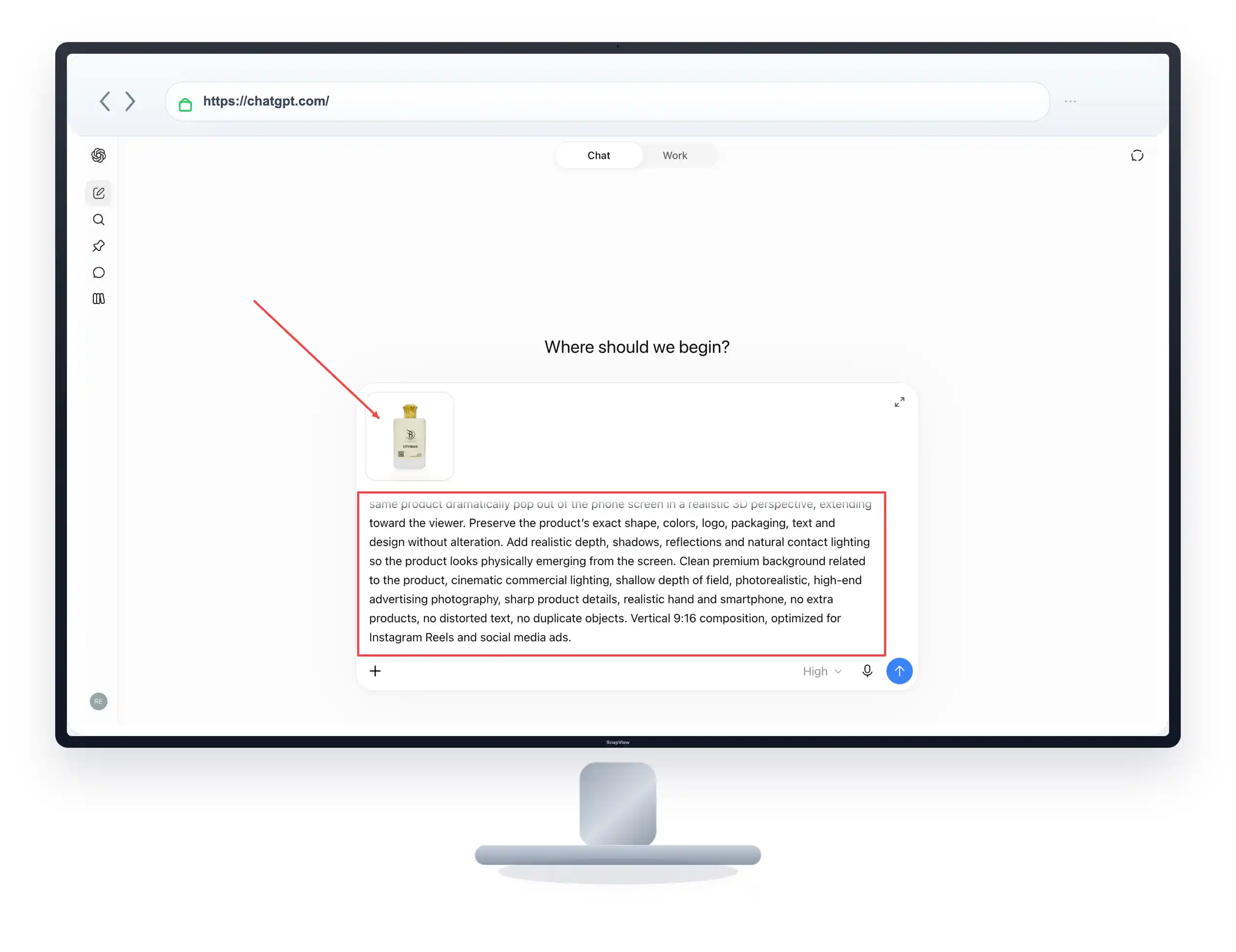
Use the uploaded product image as the exact reference. Create a highly realistic premium 3D social media advertisement showing a hand holding a modern smartphone with Instagram open on the screen. Display the uploaded product inside the Instagram post, then make the same product dramatically pop out of the phone screen in a realistic 3D perspective, extending toward the viewer. Preserve the product’s exact shape, colors, logo, packaging, text and design without alteration. Add realistic depth, shadows, reflections and natural contact lighting so the product looks physically emerging from the screen. Clean premium background related to the product, cinematic commercial lighting, shallow depth of field, photorealistic, high-end advertising photography, sharp product details, realistic hand and smartphone, no extra products, no distorted text, no duplicate objects. Vertical 9:16 composition, optimized for Instagram Reels and social media ads.
വെറുതെ “ഒരു 3D ചിത്രം ഉണ്ടാക്കി തരൂ” എന്ന് പറയുന്നതിന് പകരം ലൈറ്റിംഗ്, പെർസ്പെക്റ്റീവ് (Perspective), ഷാഡോ, ബാക്ക്ഗ്രൗണ്ട് എന്നിങ്ങനെ വളരെ സൂക്ഷ്മമായ കാര്യങ്ങൾ കൂടി എഐക്ക് നിർദ്ദേശം നൽകുന്നു എന്നതാണ് ഈ പ്രോംപ്റ്റിന്റെ ഏറ്റവും വലിയ പ്രത്യേകത.
ഈ Prompt എങ്ങനെ ഉപയോഗിക്കാം? (Step-by-step Guide)
ChatGPT Plus, മിഡ്ജേർണി , Ideogram പോലെ ഫോട്ടോ അപ്ലോഡ് ചെയ്യാൻ സൗകര്യമുള്ള ഏത് എഐ ടൂളിലും നിങ്ങൾക്ക് ഇത് ഉപയോഗിക്കാം. പറഞ്ഞിട്ടുള്ള പല ടൂളുകളും ഇതിനായി പ്രയോജനപ്പെടുത്താം.
സ്റ്റെപ്പ് 1: നിങ്ങൾ ഉപയോഗിക്കുന്ന AI ഇമേജ് ജനറേറ്റർ ഓപ്പൺ ചെയ്യുക.
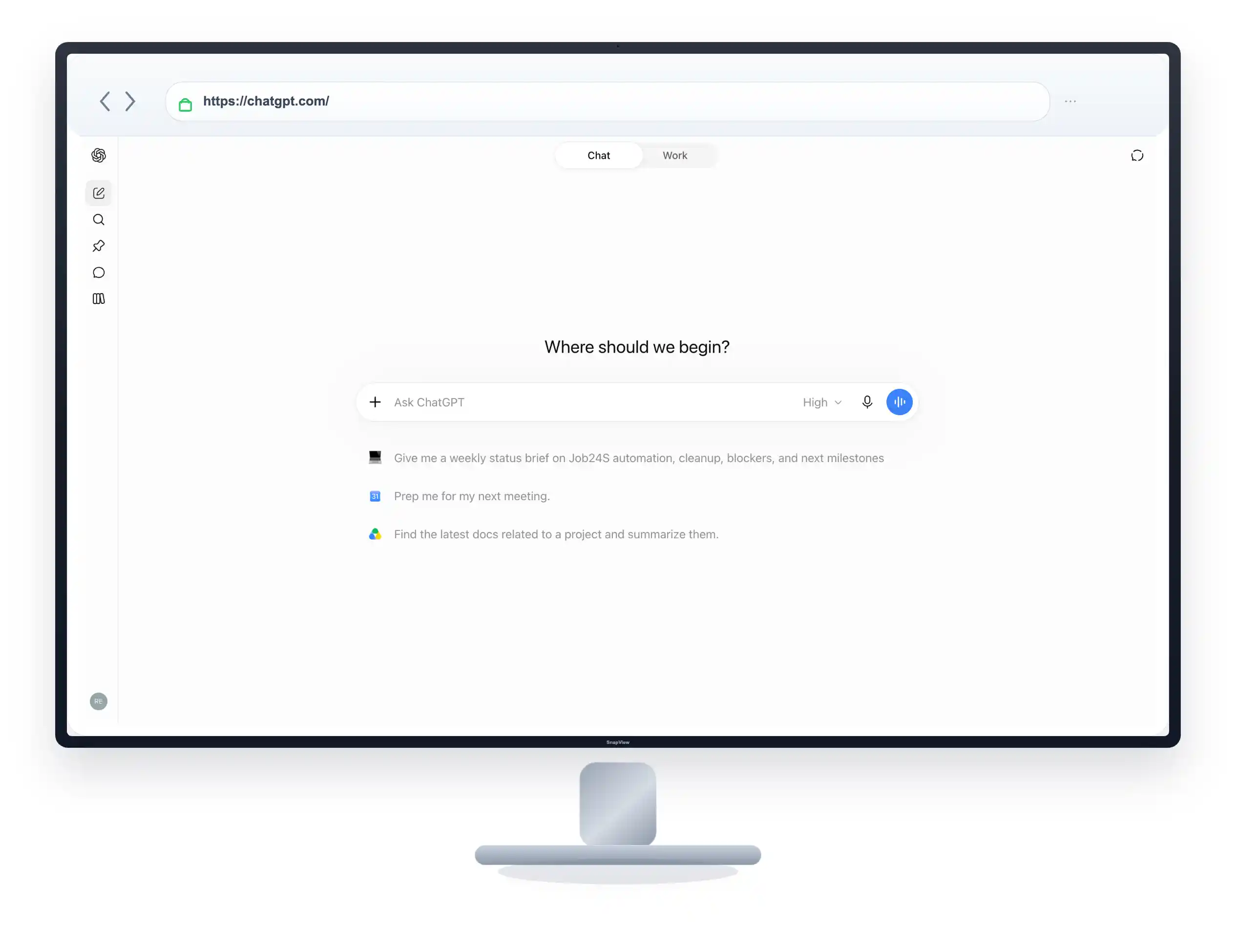
സ്റ്റെപ്പ് 2: ആദ്യം നിങ്ങളുടെ പ്രൊഡക്റ്റിന്റെ ഒറിജിനൽ ഫോട്ടോ അപ്ലോഡ് ചെയ്ത് മുകളിൽ നൽകിയിട്ടുള്ള പ്രോംപ്റ്റ് കോപ്പി ചെയ്ത് ടെക്സ്റ്റ് ബോക്സിൽ പേസ്റ്റ് ചെയ്യുക.ശേഷം ജനറേറ്റ് ബട്ടൺ അമർത്തുക.
സ്റ്റെപ്പ് 3: റിസൾട്ട് വന്നതിന് ശേഷം പ്രൊഡക്റ്റിന്റെ ഷേപ്പിലോ ലോഗോയിലോ എന്തെങ്കിലും മാറ്റം വന്നിട്ടുണ്ടെങ്കിൽ, ഒറിജിനൽ ഫോട്ടോ അതുപോലെ തന്നെ നിലനിർത്താൻ വീണ്ടും കമാൻഡ് നൽകുക.
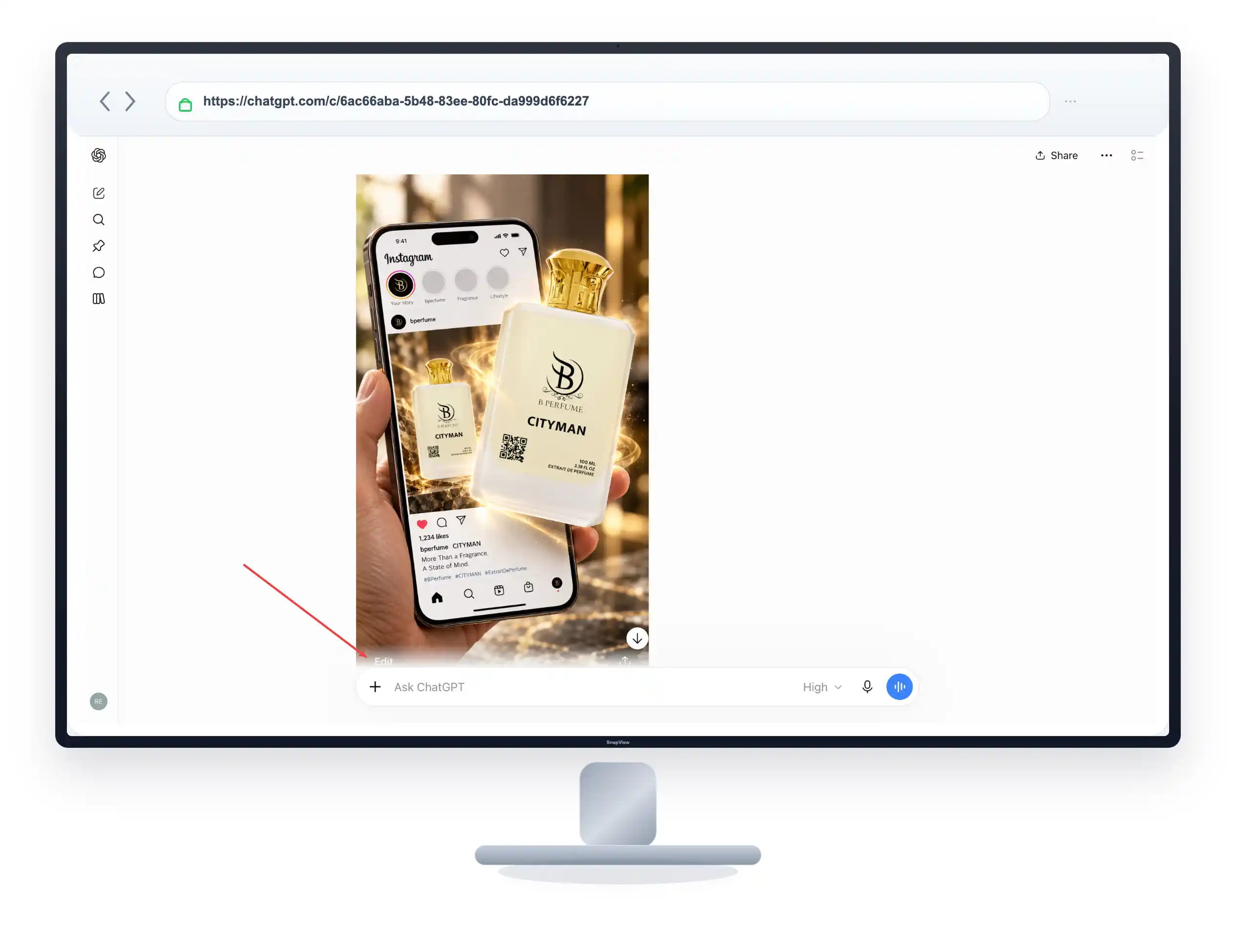
മുന്നറിയിപ്പ്: പ്രൊഡക്റ്റ് ഇമേജ് അപ്ലോഡ് ചെയ്യാതെ പ്രോംപ്റ്റ് മാത്രം കൊടുത്താൽ, എഐ സ്വന്തമായി എന്തെങ്കിലും ഒരു ഡമ്മി പ്രൊഡക്റ്റ് ഉണ്ടാക്കി തരും. അതിനാൽ ഫോട്ടോ അപ്ലോഡ് ചെയ്യാൻ മറക്കരുത്.
Common Mistakes to Avoid
എഐ ചിത്രങ്ങൾ നിർമ്മിക്കുമ്പോൾ സാധാരണയായി സംഭവിക്കുന്ന തെറ്റുകളും അവ ഒഴിവാക്കാനുള്ള വഴികളും:
-
പ്രൊഡക്റ്റ് ഒട്ടി വെച്ചതുപോലെ തോന്നുക: സ്ക്രീനിൽ നിന്നും പുറത്തേക്ക് വരുന്ന ഡെപ്ത് (Depth) ഇല്ലാതെ വെറുതെ ഫോണിന് മുകളിൽ വെച്ചതുപോലെ ചിത്രം വന്നേക്കാം. പരിഹാരം: പ്രോംപ്റ്റിൽ ഷാഡോസ് (Shadows), കോൺടാക്റ്റ് ലൈറ്റിംഗ് എന്നിവ കൃത്യമായി കൊടുത്തിട്ടുണ്ടെന്ന് ഉറപ്പാക്കുക.
-
ലോഗോയിലെ സ്പെല്ലിംഗ് തെറ്റുകൾ: എഐ ഇമേജ് ജനറേറ്ററുകൾക്ക് ലോഗോകളും ചെറിയ അക്ഷരങ്ങളും കൃത്യമായി വായിക്കാൻ ചിലപ്പോൾ കഴിഞ്ഞെന്ന് വരില്ല. പരിഹാരം: ജനറേറ്റ് ചെയ്ത് കിട്ടുന്ന ചിത്രം സൂക്ഷ്മമായി പരിശോധിച്ച ശേഷം മാത്രം പരസ്യങ്ങൾക്കായി ഉപയോഗിക്കുക. ആവശ്യമെങ്കിൽ കാൻവ (Canva) പോലുള്ള ടൂളുകൾ വെച്ച് ലോഗോ കറക്റ്റ് ചെയ്യാം.
-
ബാക്ക്ഗ്രൗണ്ട് യോജിക്കാതിരിക്കുക: പ്രൊഡക്റ്റിന് ഒട്ടും ചേരാത്ത ബാക്ക്ഗ്രൗണ്ടുകൾ എഐ ജനറേറ്റ് ചെയ്തേക്കാം. പരിഹാരം: പ്രോംപ്റ്റിലെ ‘Clean premium background related to the product’ എന്ന ഭാഗം മാറ്റി നിങ്ങളുടെ പ്രൊഡക്റ്റിന് അനുയോജ്യമായ ബാക്ക്ഗ്രൗണ്ട് (ഉദാഹരണത്തിന്: ‘Luxury kitchen background’, ‘Nature background’) വ്യക്തമായി എഴുതി കൊടുക്കുക.
-
തെറ്റായ ഇമേജ് ഫോർമാറ്റ് (Aspect Ratio): ഇൻസ്റ്റാഗ്രാം റീൽസിന് വേണ്ടിയുള്ള ചിത്രം സ്ക്വയർ ആയി കിട്ടിയാൽ ഉപയോഗിക്കാൻ കഴിയില്ല. പരിഹാരം: പ്രോംപ്റ്റിൽ അവസാനമുള്ള ‘Vertical 9:16 composition’ എന്നത് റീൽസിനുള്ളതാണ്. നിങ്ങൾക്ക് സാധാരണ പോസ്റ്റ് (Feed post) ആണ് വേണ്ടതെങ്കിൽ അവിടെ ‘Square 1:1 composition’ എന്ന് മാറ്റാൻ മറക്കരുത്.
Pro Tips & Tricks
-
വ്യത്യസ്തമായ ആശയങ്ങൾ പരീക്ഷിക്കുക: ഈ സ്റ്റൈൽ കോസ്മെറ്റിക്സ്, ഫുഡ് പാക്കേജിംഗ്, ഇലക്ട്രോണിക്സ് തുടങ്ങി ഏത് പ്രൊഡക്റ്റിനും ഉപയോഗിക്കാം. നിങ്ങൾക്ക് വ്യത്യസ്തമായ ലുക്കുകൾ വേണമെങ്കിൽ, ചാറ്റ്ജിപിടി വെച്ച് ഹെയർസ്റ്റൈൽ മാറ്റുന്ന പ്രോംപ്റ്റുകൾ പരീക്ഷിക്കുന്നതുപോലെ തന്നെ ഇതിലും ക്രിയേറ്റീവ് ആയ മാറ്റങ്ങൾ വരുത്തി പരീക്ഷിക്കാവുന്നതാണ്.
-
ഫോണിന്റെ ആംഗിൾ മാറ്റാം: കൈ വെള്ളയിൽ വെച്ചിരിക്കുന്ന ഫോണിന് പകരം ടേബിളിൽ വെച്ചിരിക്കുന്ന ഫോൺ വേണമെങ്കിൽ പ്രോംപ്റ്റിലെ ആദ്യ വരികളിൽ അതിനനുസരിച്ച് മാറ്റങ്ങൾ വരുത്തുക.
പ്രോംപ്റ്റിലെ പ്രധാന കാര്യങ്ങൾ
| പ്രോംപ്റ്റിലെ വാക്ക്/വരി | എന്തിനാണ് ഇത് ഉപയോഗിക്കുന്നത്? |
| Exact Reference | ഒറിജിനൽ പ്രൊഡക്റ്റിന്റെ അതേ ഷേപ്പും ലോഗോയും നിലനിർത്താൻ |
| Pop out of the phone screen | സ്ക്രീനിൽ നിന്നും പുറത്തേക്ക് വരുന്ന എഫക്റ്റ് കിട്ടാൻ |
| Realistic depth, shadows | ചിത്രം കൃത്രിമമായി തോന്നാതിരിക്കാനും ഒട്ടി വെച്ച ഫീൽ മാറ്റാനും |
| Vertical 9:16 composition | ഇൻസ്റ്റാഗ്രാം റീൽസിനും സ്റ്റോറികൾക്കും അനുയോജ്യമായ സൈസ് കിട്ടാൻ |
Frequently Asked Questions
1. എഐ ജനറേറ്റ് ചെയ്യുന്ന ചിത്രത്തിൽ പ്രൊഡക്റ്റിന്റെ ലോഗോ 100% കൃത്യമായിരിക്കുമോ?
എഐ പരമാവധി കൃത്യത വരുത്താൻ ശ്രമിക്കുമെങ്കിലും, പാക്കേജിങ്ങിലെ ചെറിയ അക്ഷരങ്ങളും ലോഗോയിലെ ചെറിയ ഡീറ്റെയിൽസും ചിലപ്പോൾ തെറ്റാൻ സാധ്യതയുണ്ട്. അതുകൊണ്ട് കൊമേഴ്സ്യൽ ആവശ്യങ്ങൾക്ക് ഉപയോഗിക്കുന്നതിന് മുൻപ് ചിത്രം സൂക്ഷ്മമായി പരിശോധിക്കുക.
2. ഈ ഇമേജ് നിർമ്മിക്കാൻ ഇൻസ്റ്റാഗ്രാം സ്ക്രീൻഷോട്ട് അപ്ലോഡ് ചെയ്യേണ്ടതുണ്ടോ?
ആവശ്യമില്ല. പ്രൊഡക്റ്റിന്റെ ഫോട്ടോ മാത്രം അപ്ലോഡ് ചെയ്താൽ മതി. സ്ക്രീനിൽ കാണിക്കുന്ന ഇൻസ്റ്റാഗ്രാം ഇന്റർഫേസും (Instagram UI) സ്മാർട്ട്ഫോണും എഐ തന്നെ ജനറേറ്റ് ചെയ്തുകൊള്ളും.
3. യൂട്യൂബ് തംബ്നെയിലുകൾക്ക് ഈ പ്രോംപ്റ്റ് ഉപയോഗിക്കാൻ കഴിയുമോ?
തീർച്ചയായും കഴിയും. യൂട്യൂബ് തംബ്നെയിൽ ആണ് നിങ്ങൾക്ക് വേണ്ടതെങ്കിൽ, പ്രോംപ്റ്റിന്റെ അവസാനം കൊടുത്തിരിക്കുന്ന ‘Vertical 9:16 composition’ എന്നത് മാറ്റി ‘Horizontal 16:9 composition, optimized for YouTube thumbnail’ എന്ന് തിരുത്തി നൽകുക.
4. ഈ എഐ ഇമേജുകൾക്ക് കോപ്പിറൈറ്റ് പ്രശ്നങ്ങൾ ഉണ്ടാകുമോ?
നിങ്ങളുടെ സ്വന്തം പ്രൊഡക്റ്റ് ഇമേജ് ഉപയോഗിച്ച് ജനറേറ്റ് ചെയ്യുന്ന ചിത്രങ്ങൾക്ക് സാധാരണ ഗതിയിൽ കോപ്പിറൈറ്റ് പ്രശ്നങ്ങൾ ഉണ്ടാകാറില്ല. എങ്കിലും നിങ്ങൾ ഉപയോഗിക്കുന്ന എഐ ടൂളിന്റെ (ഉദാഹരണത്തിന് Midjourney, ChatGPT) കൊമേഴ്സ്യൽ യൂസ് പോളിസികൾ (Commercial use policy) ഒന്ന് വായിച്ചു നോക്കുന്നത് എപ്പോഴും നല്ലതായിരിക്കും.
(നിരാകരണം: ഈ ആർട്ടിക്കിൾ പൂർണ്ണമായും ഡിജിറ്റൽ ഗൈഡൻസ് നൽകാൻ വേണ്ടി തയ്യാറാക്കിയതാണ്. എഐ ടൂളുകളുടെ അൽഗോരിതങ്ങളിൽ വരുന്ന മാറ്റങ്ങൾക്കനുസരിച്ച് റിസൾട്ടുകളിലും വ്യത്യാസങ്ങൾ ഉണ്ടായേക്കാം).