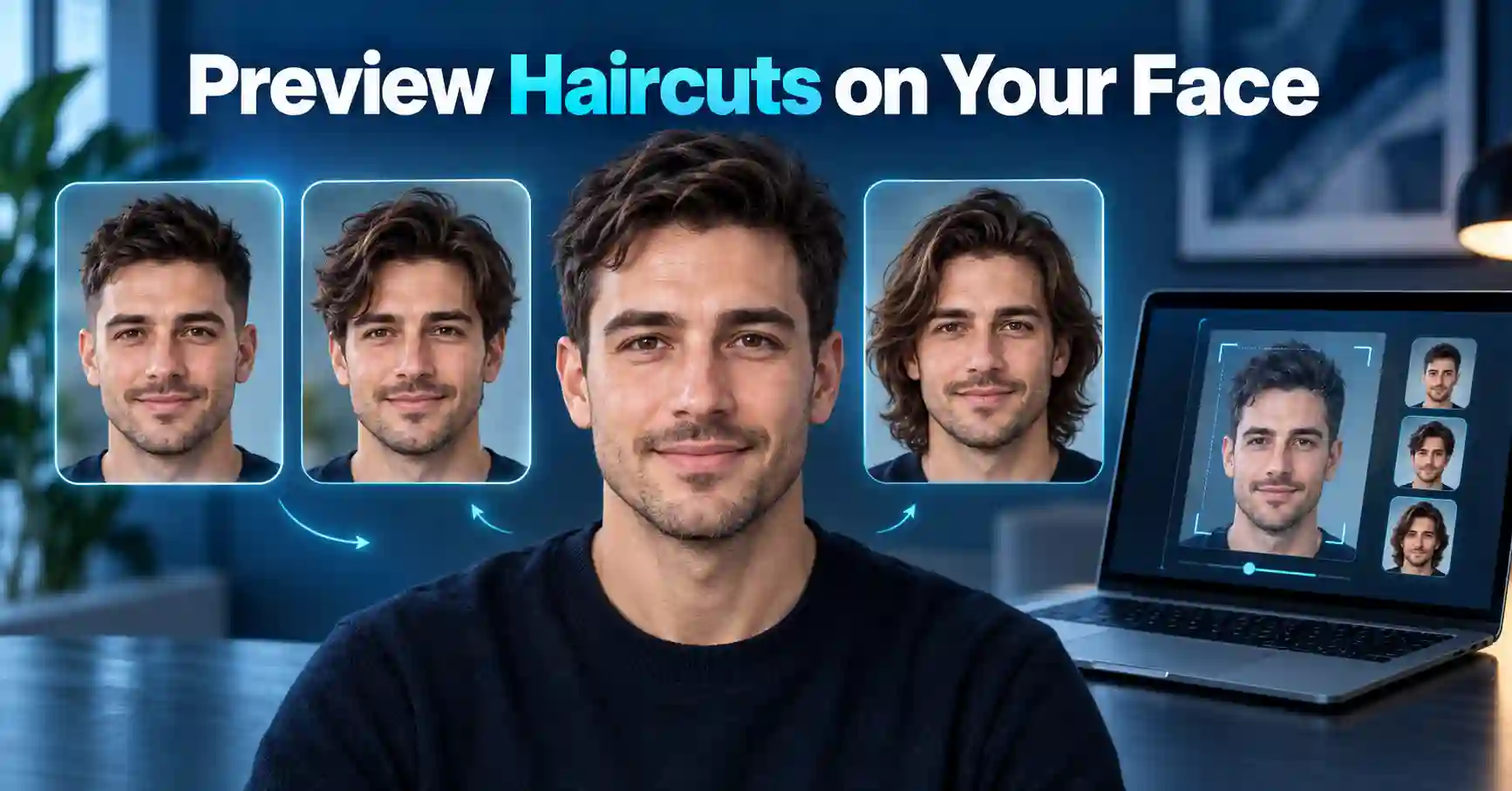
ഒരു പുതിയ haircut ചെയ്യണമെന്ന് ആഗ്രഹമുണ്ടെങ്കിലും, അത് നമ്മുടെ മുഖത്തിന് ചേരുമോ എന്ന സംശയം പലർക്കും ഉണ്ടാകും. പ്രത്യേകിച്ച് short haircut, fade, bob cut, wolf cut, layered hair, curly style തുടങ്ങിയ വലിയ മാറ്റങ്ങൾ ചെയ്യുന്നതിന് മുമ്പ് ഒരു preview കാണാൻ കഴിഞ്ഞാൽ തീരുമാനമെടുക്കുന്നത് എളുപ്പമാണ്. ഇതിനായി ഇപ്പോൾ ChatGPT Images ഉപയോഗിച്ച് നിങ്ങളുടെ സ്വന്തം photo upload ചെയ്ത് വ്യത്യസ്ത hairstyles visual ആയി പരീക്ഷിക്കാം.
OpenAIയുടെ നിലവിലെ ChatGPT Images സംവിധാനം existing image upload ചെയ്ത് ആവശ്യമായ മാറ്റം വിവരിക്കാൻ അനുവദിക്കുന്നു. OpenAI hairstyle try-ons-നെയും image editing-ന്റെ ഒരു practical use case ആയി വ്യക്തമാക്കിയിട്ടുണ്ട്.
എന്നാൽ ഇത് ഒരു AI-generated visual preview മാത്രമാണ്. യഥാർത്ഥ haircut കഴിഞ്ഞുള്ള രൂപം hair texture, density, growth pattern, barber/stylist technique തുടങ്ങിയ കാര്യങ്ങൾ അനുസരിച്ച് മാറാം.
Last verified: September 2026
പ്രധാനമായി അറിയേണ്ടത്
ChatGPT ഉപയോഗിച്ച് hairstyle preview ചെയ്യാനുള്ള അടിസ്ഥാന രീതി വളരെ ലളിതമാണ്:
- വ്യക്തമായ front-facing photo എടുക്കുക.
- ChatGPT-യിൽ photo upload ചെയ്യുക.
- മുഖം, skin tone, facial features എന്നിവ മാറ്റരുതെന്ന് prompt-ൽ വ്യക്തമാക്കുക.
- പരീക്ഷിക്കേണ്ട haircut കൃത്യമായി പറയുക.
- Hair colour മാറ്റേണ്ടതില്ലെങ്കിൽ അതും വ്യക്തമാക്കുക.
- ഒരു hairstyle വീതം generate ചെയ്ത് compare ചെയ്യുക.
- നിങ്ങൾക്ക് ഇഷ്ടപ്പെട്ട result barber അല്ലെങ്കിൽ hairstylist-ന് reference ആയി കാണിക്കാം.
AI preview ഒരു hairstyle തിരഞ്ഞെടുക്കാൻ സഹായിക്കുന്ന visual reference ആയി ഉപയോഗിക്കുന്നതാണ് നല്ലത്; exact salon result ആയി കരുതരുത്.
ChatGPT Hairstyle Preview എങ്ങനെ പ്രവർത്തിക്കുന്നു?
ChatGPT Images ഉപയോഗിച്ച് പുതിയ images സൃഷ്ടിക്കാനും നിലവിലുള്ള images edit ചെയ്യാനും കഴിയും. Existing photo upload ചെയ്ത ശേഷം എന്താണ് മാറ്റേണ്ടതെന്ന് natural language-ൽ പറഞ്ഞാൽ image edit ചെയ്യാൻ കഴിയും. OpenAIയുടെ official documentation പ്രകാരം image-ന്റെ ഒരു പ്രത്യേക ഭാഗം select ചെയ്ത് edit ചെയ്യാനോ selection ഇല്ലാതെ conversation-ൽ നേരിട്ട് ആവശ്യമായ change വിശദീകരിക്കാനോ സാധിക്കും.
Hairstyle preview-ൽ പ്രധാനമായും മാറ്റേണ്ടത് മുടിയാണ്. അതിനാൽ prompt-ൽ:
“Change only the hairstyle”
എന്ന തരത്തിലുള്ള instruction നൽകുന്നത് സഹായകരമാണ്.
OpenAIയുടെ image prompting guidance പ്രകാരം existing image edit ചെയ്യുമ്പോൾ എന്താണ് മാറ്റേണ്ടത്, എന്തൊക്കെ അതേപടി നിലനിർത്തണം എന്നിവ വ്യക്തമായി പറയുന്നത് കൂടുതൽ consistent result ലഭിക്കാൻ സഹായിക്കും.
നല്ല Hairstyle Preview ലഭിക്കാൻ Photo എങ്ങനെ എടുക്കണം?
AI output-ന്റെ quality prompt മാത്രം ആശ്രയിച്ചല്ല. നിങ്ങൾ upload ചെയ്യുന്ന source photo-യും പ്രധാനമാണ്.
1. മുഖം വ്യക്തമായി കാണണം
Front-facing photo ഏറ്റവും നല്ല starting point ആണ്. മുഖത്തിന്റെ:
- forehead
- jawline
- cheeks
- hairline
- നിലവിലെ hairstyle
എന്നിവ വ്യക്തമായി കാണുന്ന photo തിരഞ്ഞെടുക്കുക.
2. നല്ല Lighting ഉപയോഗിക്കുക
മുഖത്തിന്റെ ഒരു ഭാഗം പൂർണമായി shadow-ൽ ആയിരിക്കുന്ന photo ഒഴിവാക്കുക. Window light പോലുള്ള soft natural lighting കൂടുതൽ natural result ലഭിക്കാൻ സഹായിക്കും.
3. Filters ഒഴിവാക്കുക
Beauty filters, face reshaping filters, extreme colour filters എന്നിവ ഉള്ള photos hairstyle comparison-ന് നല്ലതല്ല.
4. Sunglasses അല്ലെങ്കിൽ Headwear ഒഴിവാക്കുക
Cap, helmet, വലിയ sunglasses തുടങ്ങിയവ hairline അല്ലെങ്കിൽ face shape മറയ്ക്കുന്നുണ്ടെങ്കിൽ hairstyle preview തെറ്റാൻ സാധ്യതയുണ്ട്.
5. സാധ്യമായാൽ Neutral Background
വളരെ busy background-നെക്കാൾ plain അല്ലെങ്കിൽ simple background ഉള്ള photo ഉപയോഗിക്കുന്നത് നല്ലതാണ്.
ChatGPT-യിൽ നിങ്ങളുടെ Photo Upload ചെയ്യുന്നത് എങ്ങനെ?
ChatGPT-ൽ image input ചേർക്കാൻ prompt area-യിലെ + option ഉപയോഗിച്ച് Add photos & files തിരഞ്ഞെടുക്കാം. Web version-ൽ supported സാഹചര്യങ്ങളിൽ image drag-and-drop ചെയ്യുകയോ clipboard-ൽ നിന്ന് paste ചെയ്യുകയോ ചെയ്യാം.
Interface update വന്നാൽ menu wording ചെറിയ തോതിൽ മാറാം.
Photo upload ചെയ്ത ശേഷം ഉടൻ “എനിക്ക് ഏത് hairstyle ചേരും?” എന്ന് മാത്രം ചോദിക്കുന്നതിനേക്കാൾ precise editing prompt നൽകുന്നതാണ് നല്ലത്.
ഏറ്റവും ഉപയോഗപ്രദമായ Universal ChatGPT Hairstyle Prompt
താഴെയുള്ള prompt photo upload ചെയ്ത ശേഷം copy-paste ചെയ്യാം:
Prompt:
“Edit this uploaded photo to realistically preview a new hairstyle on the same person. Change only the hair. Keep the face, facial features, skin tone, eyebrows, eyes, nose, lips, ears, facial hair, body, clothing, background, camera angle and lighting unchanged. Preserve the person’s identity and natural appearance. Apply a realistic [HAIRSTYLE NAME] that suits the existing hairline and head shape. Keep realistic hair texture, individual strands, volume, shadows and natural blending around the forehead, temples and ears. Do not beautify, reshape or modify the face. Make the result look like a realistic salon haircut photograph, not an AI-generated image.”
ഇവിടെ [HAIRSTYLE NAME] എന്ന ഭാഗത്ത് നിങ്ങൾ പരീക്ഷിക്കേണ്ട style നൽകുക.
ഉദാഹരണം:
Textured Crop with Low Fade
അല്ലെങ്കിൽ:
Shoulder-Length Layered Hair with Curtain Bangs
Men-ന് പരീക്ഷിക്കാവുന്ന Hairstyle Prompts
Low Taper Fade
“Change only my hairstyle to a clean low taper fade with naturally textured hair on top. Keep my exact face, facial proportions, hairline, skin tone, beard, clothing, lighting and background unchanged. Make the haircut realistic and professionally styled.”
Textured Crop
“Preview a realistic textured crop haircut on my uploaded photo. Keep the sides short with natural texture on top. Change only the hair and preserve my exact facial appearance, hairline, beard and skin tone.”
Crew Cut
“Change only my hair to a realistic classic crew cut with slightly shorter sides and natural length on top. Preserve my face, head shape, hairline, beard, lighting and background exactly.”
Buzz Cut
“Show me how I would realistically look with a short buzz cut. Maintain my natural hairline and head shape. Do not change my face, skin, beard, eyebrows, ears, lighting or background.”
Medium-Length Curtains
“Change only the hairstyle to medium-length curtain hair with a natural middle part and soft realistic texture. Keep the same person and preserve all facial features, skin tone, hairline and background.”
Women-ന് പരീക്ഷിക്കാവുന്ന Hairstyle Prompts
Layered Hair
“Change only my hairstyle to long soft layers with natural volume and face-framing pieces. Preserve my exact face, facial proportions, skin tone, hair colour, clothing, lighting and background.”
Bob Cut
“Preview a realistic chin-length bob haircut on my uploaded photo. Keep my face, hair colour, skin tone, eyebrows and all facial features unchanged. Make the hair naturally frame my existing face shape.”
Shoulder-Length Hair
“Change only my hairstyle to natural shoulder-length hair with soft layers and realistic volume. Do not reshape or beautify my face. Preserve my identity, skin tone, lighting and background.”
Curtain Bangs
“Add realistic curtain bangs and soft face-framing layers while preserving the original hair colour. Change only the hairstyle. Keep my facial features, forehead proportions, skin tone and overall identity unchanged.”
Pixie Cut
“Show me a realistic preview of a modern pixie haircut on the same person. Change only the hair. Preserve my exact face, skin tone, eyebrows, ears, head shape, clothing and background.”
Curly Hairstyle Preview ചെയ്യാനുള്ള Prompt
Straight hair ഉള്ള source photo-യിൽ curly hairstyle പരീക്ഷിക്കുമ്പോൾ curl type, volume എന്നിവ prompt-ൽ വ്യക്തമാക്കുന്നത് നല്ലതാണ്.
ഉദാഹരണം:
“Change only my hairstyle to medium-length naturally defined loose curls with realistic volume. Keep my original hair colour and hairline. Preserve my exact face, skin tone, facial proportions, clothing, lighting and background. The curls should look like real human hair with natural strand variation, not a wig.”
Tight curls വേണമെങ്കിൽ “tight defined curls” എന്നും loose waves വേണമെങ്കിൽ “soft loose waves” എന്നും മാറ്റാം.
Hair Colour കൂടി Preview ചെയ്യാമോ?
ചെയ്യാം. Hairstyle-നൊപ്പം hair colour മാറ്റാനും image edit instruction നൽകാം.
ഉദാഹരണം:
“Keep my haircut and face unchanged. Change only my hair colour to natural dark chocolate brown with subtle warm highlights. Maintain realistic roots, individual hair strands, lighting and shadows.”
Haircut + colour രണ്ടും ഒരുമിച്ച് വലിയ രീതിയിൽ മാറ്റുന്നതിന് പകരം ആദ്യം haircut പരീക്ഷിച്ച് പിന്നീട് colour edit ചെയ്യുന്നത് comparison എളുപ്പമാക്കും.
ഒരേ Photo-യിൽ പല Hairstyle Variations എങ്ങനെ പരീക്ഷിക്കാം?
ഒരു hairstyle generate ചെയ്തതിന് ശേഷം completely പുതിയ instructions നൽകുന്നതിന് പകരം ഒരു change വീതം പരീക്ഷിക്കാം.
ഉദാഹരണമായി:
- ആദ്യം Low Taper Fade പരീക്ഷിക്കുക.
- അടുത്തത് അതേ photo reference ഉപയോഗിച്ച് Textured Crop പരീക്ഷിക്കുക.
- പിന്നീട് Crew Cut പരീക്ഷിക്കുക.
- ഇഷ്ടപ്പെട്ട രണ്ടെണ്ണം compare ചെയ്യുക.
- Length അല്ലെങ്കിൽ fade height മാത്രം മാറ്റി വീണ്ടും generate ചെയ്യുക.
OpenAIയുടെ prompting guidance-ലും വലിയ vague correction-കളെക്കാൾ ചെറിയ targeted revisions consistency നിലനിർത്താൻ സഹായിക്കുമെന്ന് പറയുന്നു.
മുഖത്തിന് ചേരുന്ന Hairstyle ChatGPT-നോട് ചോദിക്കാമോ?
Photo upload ചെയ്ത ശേഷം hairstyle suggestions ചോദിക്കാം. എന്നാൽ AIയുടെ recommendation ഒരു professional stylist consultation-ന്റെ പകരക്കാരനായി കാണേണ്ടതില്ല.
ഇങ്ങനെ ചോദിക്കാം:
“Look at my uploaded photo and suggest five hairstyle categories that may visually complement my apparent face shape and current hairline. Do not make assumptions about my identity or attractiveness. Explain briefly why each style may work, then wait for me to choose one before editing the image.”
ശേഷം ഒരു style തിരഞ്ഞെടുക്കുകയും അതിന്റെ preview generate ചെയ്യുകയും ചെയ്യാം.
Side View Preview വേണ്ടെങ്കിൽ എന്ത് ചെയ്യണം?
Front photo മാത്രം നൽകിയാൽ AI സൃഷ്ടിക്കുന്ന back അല്ലെങ്കിൽ side hairstyle യഥാർത്ഥ തലയുടെ മുഴുവൻ geometry കൃത്യമായി represent ചെയ്യണമെന്നില്ല.
കൂടുതൽ practical comparison വേണ്ടി സാധ്യമായാൽ:
- front photo
- left-side photo
- right-side photo
എന്നിവ വ്യക്തമായി upload ചെയ്യാം.
Multiple uploaded images ഉപയോഗിക്കുമ്പോൾ അവ തമ്മിലുള്ള ബന്ധം prompt-ൽ വ്യക്തമാക്കുന്നത് സഹായകരമാണെന്ന് OpenAIയുടെ guidance പറയുന്നു.
ഉദാഹരണം:
“Image 1 is my front view and Image 2 is my side view. Use both only as references for my appearance and hairline. Preview a low taper fade while keeping my identity and facial features unchanged.”
Preview കൂടുതൽ Realistic ആക്കാൻ Prompt-ൽ ചേർക്കാവുന്ന Instructions
Result വളരെ artificial ആയി തോന്നുന്നെങ്കിൽ താഴെയുള്ള phrases ഉപയോഗിക്കാം:
- “realistic individual hair strands”
- “natural hair density”
- “realistic scalp visibility”
- “preserve natural hairline”
- “natural salon styling”
- “no wig-like appearance”
- “no face reshaping”
- “no skin smoothing”
- “keep original lighting”
- “keep original camera angle”
- “change only the hair”
അധികം conflicting instructions ഒരൊറ്റ prompt-ൽ നിറയ്ക്കേണ്ടതില്ല. പ്രധാന constraints വ്യക്തമായാൽ മതി.
ChatGPT Hairstyle Preview-ന്റെ പ്രധാന Limitations
AI-generated hairstyle preview useful ആണെങ്കിലും ചില പരിധികൾ മനസ്സിലാക്കണം.
യഥാർത്ഥ Hair Texture വ്യത്യസ്തമായേക്കാം
ഒരു hairstyle reference photo-യിൽ മനോഹരമായി കാണുന്നുണ്ടെങ്കിലും നിങ്ങളുടെ actual hair:
- വളരെ thin ആയിരിക്കാം
- വളരെ thick ആയിരിക്കാം
- curly ആയിരിക്കാം
- straight ആയിരിക്കാം
- different growth direction ഉണ്ടായിരിക്കാം
ഇവ കാരണം salon result preview-ൽ നിന്ന് വ്യത്യസ്തമായേക്കാം.
Hairline കൃത്യത എല്ലായ്പ്പോഴും Perfect ആകണമെന്നില്ല
AI edit ചെയ്യുന്ന സമയത്ത് temples, forehead അല്ലെങ്കിൽ ears ചുറ്റുമുള്ള ചെറിയ ഭാഗങ്ങളിൽ visual inaccuracies ഉണ്ടാകാം. OpenAIയും image selection/editing എല്ലായ്പ്പോഴും pixel-perfect ആയിരിക്കണമെന്നില്ലെന്ന് വ്യക്തമാക്കുന്നു.
Barber Technique പ്രധാനമാണ്
Fade blending, layering, texture cutting, thinning, blow-drying തുടങ്ങിയ കാര്യങ്ങൾ stylist-ന്റെ skill അനുസരിച്ച് മാറും.
അതുകൊണ്ട് AI image “ഇതേ result ലഭിക്കും” എന്ന guarantee ആയി ഉപയോഗിക്കാതെ “ഇതുപോലൊരു direction ആണ് എനിക്ക് വേണ്ടത്” എന്ന reference ആയി ഉപയോഗിക്കുക.
നിങ്ങളുടെ Photo Upload ചെയ്യുമ്പോൾ Privacy ശ്രദ്ധിക്കുക
Face photo ഒരു personal image ആയതിനാൽ ആവശ്യത്തിലധികം sensitive information ഉള്ള photo upload ചെയ്യാതിരിക്കുന്നത് നല്ലതാണ്.
ഉദാഹരണമായി background-ൽ:
- ID card
- passport
- bank document
- house address
- phone number
- computer password
- private documents
എന്നിവ കാണുന്നുണ്ടെങ്കിൽ crop ചെയ്യുകയോ മറ്റൊരു photo ഉപയോഗിക്കുകയോ ചെയ്യുക.
Individual ChatGPT services-ൽ content model improvement-നായി ഉപയോഗിക്കപ്പെടുമോ എന്നത് account Data Controls settings-നെ ആശ്രയിക്കാം. Settings → Data Controls → Improve the model for everyone ഓഫ് ചെയ്താൽ പുതിയ conversations model training-നായി ഉപയോഗിക്കില്ലെന്ന് OpenAI വ്യക്തമാക്കുന്നു.
Temporary Chat ഉപയോഗിക്കുന്ന conversations history-യിൽ കാണിക്കാതിരിക്കാനും model improvement-നായി ഉപയോഗിക്കാതിരിക്കാനും സാധിക്കും; OpenAIയുടെ നിലവിലെ documentation പ്രകാരം Temporary Chats safety purposes-നായി പരിമിതകാലം retain ചെയ്യപ്പെടാം.
Common Mistakes to Avoid
“Give me a good haircut” എന്ന vague prompt മാത്രം നൽകുന്നത്
ഏത് style, length, texture എന്നിവയാണ് വേണ്ടത് എന്ന് വ്യക്തമാക്കിയാൽ result കൂടുതൽ useful ആയിരിക്കും.
മുഖവും മാറ്റാൻ അനുവദിക്കുന്നത്
Hairstyle compare ചെയ്യുകയാണ് ലക്ഷ്യമെങ്കിൽ:
“Keep my face unchanged”
എന്ന instruction ചേർക്കുക.
Hair colour അറിയാതെ മാറ്റുന്നത്
Original colour വേണമെങ്കിൽ പ്രത്യേകം:
“Keep my original hair colour”
എന്ന് പറയുക.
ഒരേ സമയം വളരെ അധികം മാറ്റങ്ങൾ ചോദിക്കുന്നത്
Haircut, beard, skin, clothes, background, glasses എല്ലാം ഒരുമിച്ച് മാറ്റിയാൽ hairstyle comparison തന്നെ ബുദ്ധിമുട്ടാകും.
AI Preview യഥാർത്ഥ Outcome ആയി കരുതുന്നത്
AI image visual reference ആണ്. Final haircut ചെയ്യുന്നതിന് മുമ്പ് experienced barber അല്ലെങ്കിൽ hairstylist-നോട് നിങ്ങളുടെ hair texture, density, maintenance എന്നിവ കൂടി ചോദിക്കുക.
Frequently Asked Questions
ChatGPT ഉപയോഗിച്ച് എന്റെ സ്വന്തം മുഖത്തിൽ hairstyle preview ചെയ്യാമോ?
അതെ. നിലവിലെ ChatGPT Images experience-ൽ existing image upload ചെയ്ത് ആവശ്യമായ edit വിവരിക്കാൻ കഴിയും. Hairstyle try-on OpenAI തന്നെ image-editing use case ആയി ചൂണ്ടിക്കാണിക്കുന്നു. മികച്ച comparison ലഭിക്കാൻ face മാറ്റാതെ hair മാത്രം edit ചെയ്യാൻ prompt നൽകുക.
ChatGPT hairstyle preview 100% accurate ആണോ?
അല്ല. ഇത് AI-generated visualization ആണ്. നിങ്ങളുടെ യഥാർത്ഥ hair density, curl pattern, hairline, growth direction, haircut technique, styling products എന്നിവ result-നെ ബാധിക്കും. അതിനാൽ final decision എടുക്കാനുള്ള ഏക അടിസ്ഥാനമാക്കാതെ hairstyle shortlist ചെയ്യാനുള്ള reference ആയി ഉപയോഗിക്കുന്നതാണ് നല്ലത്.
ഏത് photo ആണ് hairstyle preview-ന് ഏറ്റവും നല്ലത്?
Clear front-facing photo സാധാരണയായി ഏറ്റവും useful ആണ്. Natural lighting, visible hairline, neutral facial expression, കുറഞ്ഞ background distraction എന്നിവ തിരഞ്ഞെടുക്കുക. Filters, cap, helmet, extreme angles എന്നിവ ഒഴിവാക്കുക. Side haircut detail പ്രധാനമാണെങ്കിൽ പ്രത്യേകം side-view photo കൂടി നൽകാം.
ഒരേ photo-യിൽ പല hairstyles പരീക്ഷിക്കാമോ?
അതെ. ഒരു hairstyle വീതം generate ചെയ്ത് variations പരീക്ഷിക്കാം. ഉദാഹരണത്തിന് Low Fade, Crew Cut, Textured Crop എന്നിങ്ങനെ വേർതിരിച്ച് generate ചെയ്താൽ compare ചെയ്യാൻ എളുപ്പമാണ്. ഓരോ iteration-ലും “change only the hairstyle” പോലുള്ള constraint ആവർത്തിക്കുന്നത് facial consistency നിലനിർത്താൻ സഹായിക്കും.
Beard കൂടി hairstyle-നൊപ്പം മാറ്റാമോ?
Image editing വഴി beard changes ചോദിക്കാനാകുമെങ്കിലും hairstyle തിരഞ്ഞെടുക്കുകയാണ് പ്രധാന ലക്ഷ്യമെങ്കിൽ ആദ്യം beard unchanged ആയി വെക്കുക. Haircut തീരുമാനിച്ച ശേഷം വേണമെങ്കിൽ പുതിയ edit-ൽ beard length അല്ലെങ്കിൽ style മാത്രം മാറ്റാം. ഒരൊറ്റ comparison-ൽ അധികം variables മാറ്റാതിരിക്കുന്നതാണ് കൂടുതൽ practical.
Salon-ൽ AI-generated ചിത്രം കാണിക്കാമോ?
കാണിക്കാം. നിങ്ങൾക്ക് ഇഷ്ടപ്പെട്ട hairstyle direction barber അല്ലെങ്കിൽ hairstylist-ന് വിശദീകരിക്കാൻ ഇത് ഒരു visual reference ആയി സഹായിക്കും. എന്നാൽ “exactly ഇതുപോലെ വേണം” എന്നതിനു പകരം നിങ്ങളുടെ natural hair type ഉപയോഗിച്ച് ഇതിന് എത്ര അടുത്ത result സാധ്യമാണെന്ന് stylist-നോട് ചോദിക്കുക.
Official Sources & Further Reading
- OpenAI Help Center – Images in ChatGPT
- OpenAI – Creating Images with ChatGPT
- OpenAI Help Center – ChatGPT Image Inputs FAQ
- OpenAI Help Center – Data Controls FAQ