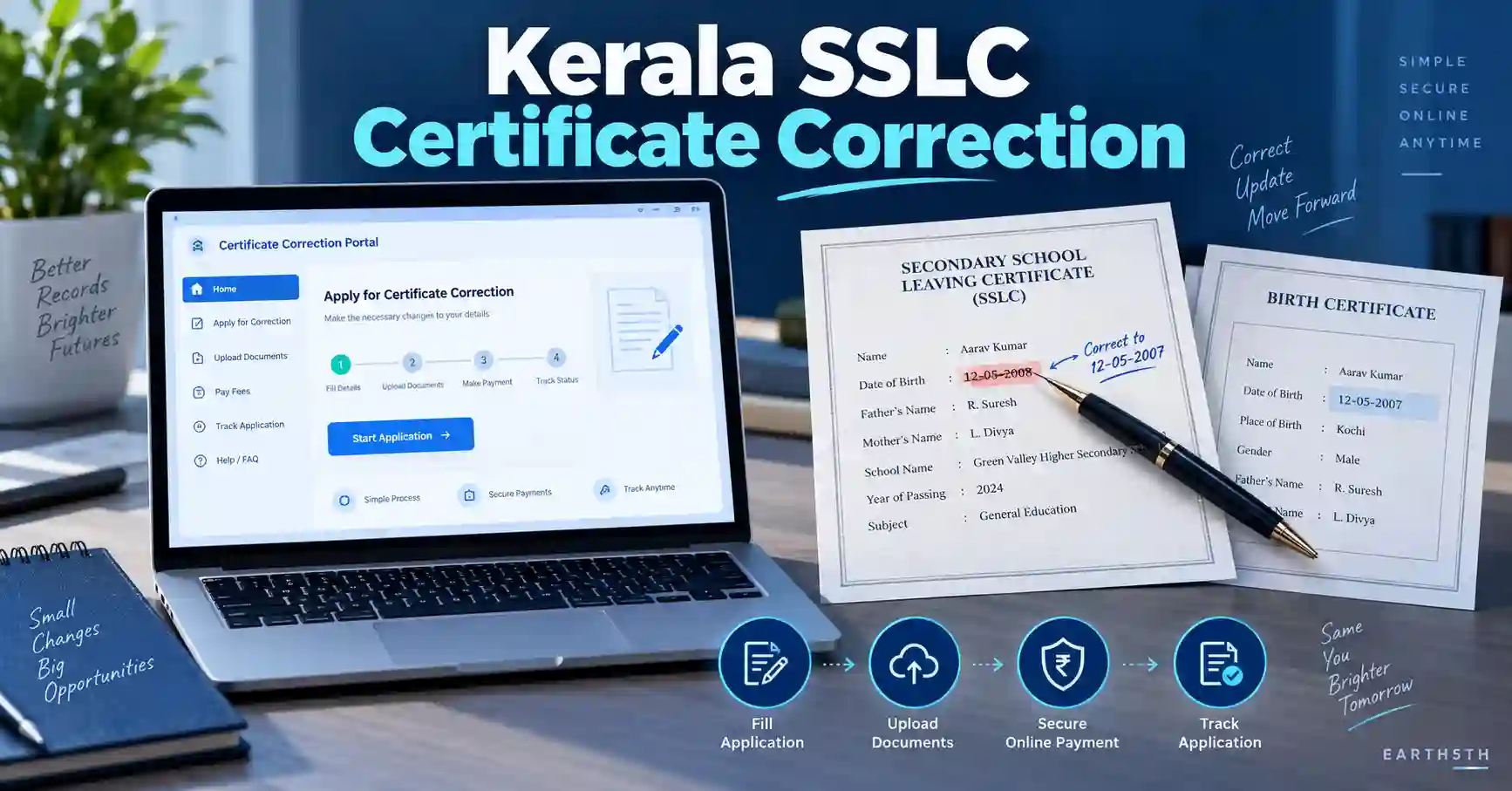
Kerala SSLC certificate-ൽ പേര്, ജനനതീയതി അല്ലെങ്കിൽ മറ്റ് രേഖപ്പെടുത്തിയ വിവരങ്ങളിൽ തെറ്റ് കണ്ടെത്തിയാൽ Kerala SSLC Certificate Correction Online service വഴി correction application ആരംഭിക്കാം. Kerala Pareeksha Bhavan-ന്റെ official Online Services page-ൽ Certificate Corrections എന്ന പ്രത്യേക service നിലവിലുണ്ട്.
എന്നാൽ ഒരു പ്രധാന കാര്യം ആദ്യം മനസ്സിലാക്കണം: ഇത് പൂർണമായും paperless process അല്ല. Application details നൽകുക, supporting documents upload ചെയ്യുക, applicable fee online ആയി അടയ്ക്കുക എന്നിവ online ആണെങ്കിലും, official instructions പ്രകാരം submission കഴിഞ്ഞ് ലഭിക്കുന്ന application printout-ും original certificate-ും Pareeksha Bhavan-ലേക്ക് അയയ്ക്കേണ്ടതുണ്ട്.
Kerala SSLC Certificate Correction service എന്താണ്?
Kerala Pareeksha Bhavan, Office of the Commissioner of Government Examinations ആണ് certificate correction service നൽകുന്നത്. Official Online Services page-ൽ Certificate Corrections, Duplicate Certificate, File Status, Online Application Printout തുടങ്ങിയ services പ്രത്യേകം നൽകിയിട്ടുണ്ട്.
Official correction instructions Date of Birth കൂടാതെ other corrections കൈകാര്യം ചെയ്യുന്ന online application process വിശദീകരിക്കുന്നു. ഏത് correction തിരഞ്ഞെടുക്കാമെന്നത് application portal-ൽ ലഭിക്കുന്ന current options അനുസരിച്ചായിരിക്കും.
അതുകൊണ്ട് പഴയ blog post, YouTube video അല്ലെങ്കിൽ agent നൽകുന്ന correction-category/fee information മാത്രം ആശ്രയിക്കാതെ official portal-ൽ ഇപ്പോൾ കാണുന്ന options തന്നെ പിന്തുടരുക.
Apply ചെയ്യുന്നതിന് മുമ്പ് തയ്യാറാക്കേണ്ട Documents
Official instructions പ്രകാരം online application തുടങ്ങുന്നതിന് മുമ്പ് ആവശ്യമായ supporting records scan ചെയ്ത് തയ്യാറാക്കണം. Upload ചെയ്യേണ്ട documents PDF format-ലും ഓരോ file-ും 100 KB-ൽ താഴെയുമാണ് തയ്യാറാക്കാൻ manual നിർദേശിക്കുന്നത്.
Correction type അനുസരിച്ച് ആവശ്യമായ രേഖകൾ വ്യത്യാസപ്പെടാം. Official manual പറയുന്ന പ്രധാന രേഖകൾ:
- പത്താം ക്ലാസ് ആദ്യ chance പരീക്ഷയ്ക്ക് register ചെയ്ത school Headmaster/Headmistress നൽകുന്ന prescribed-format certificate
- Birth Certificate
- Applicant-ന്റെ പേര് Birth Certificate-ലെ പേരിൽ നിന്ന് വ്യത്യസ്തമാണെങ്കിൽ ആവശ്യമായ സാഹചര്യത്തിൽ Gazetted Officer നൽകുന്ന One and Same Certificate
- SSLC pass ചെയ്തിട്ട് 15 വർഷത്തിൽ കൂടുതൽ കഴിഞ്ഞ ചില cases-ൽ ആവശ്യമായാൽ delay condone ചെയ്യുന്നതിനുള്ള Government order
- മറ്റൊരു ഭാഷയിലുള്ള supporting record സമർപ്പിക്കുമ്പോൾ ആവശ്യമായ സാഹചര്യത്തിൽ State Library conversion certificate
- SC/ST applicant ആണെങ്കിൽ caste തെളിയിക്കുന്ന document
- Online payment നടത്താനുള്ള supported payment method
Birth Certificate copy കണ്ടെത്തേണ്ടതുണ്ടെങ്കിൽ Earth5th-ലെ Kerala Birth Certificate Online Download Guide കൂടി പരിശോധിക്കാം.
Kerala SSLC Certificate Correction Online: Step-by-Step Guide
Step 1: Kerala Pareeksha Bhavan Online Services തുറക്കുക
ആദ്യം Kerala Pareeksha Bhavan official Online Services page തുറക്കുക.
അവിടെ Certificate Corrections എന്ന option കണ്ടെത്തി official correction portal-ലേക്ക് പോകുക. Portal application submit ചെയ്യുന്നതിന് മുമ്പ് General Information and Guideline ശ്രദ്ധയോടെ വായിക്കാൻ ആവശ്യപ്പെടുന്നു.
Step 2: Instructions വായിച്ച് correction തിരഞ്ഞെടുക്കുക
Correction portal-ൽ official instructions ആദ്യം വായിക്കുക.
Manual പ്രകാരം ആവശ്യമായ correction option/selectable corrections തിരഞ്ഞെടുക്കുകയും തുടർന്ന് CONFIRM button ഉപയോഗിക്കുകയും വേണം.
Correction select ചെയ്യുമ്പോൾ existing certificate നോക്കി വിവരങ്ങൾ കൃത്യമായി നൽകുക. അനുമാനിച്ച് spelling അല്ലെങ്കിൽ date enter ചെയ്യുന്നത് ഒഴിവാക്കുക.
Step 3: Examination details നൽകുക
അടുത്ത ഘട്ടത്തിൽ portal ആവശ്യപ്പെടുന്ന examination information നൽകണം.
Official instructions സൂചിപ്പിക്കുന്ന fields:
- Name of Examination
- Number of Chances
- Year of Examination
- Month of Examination
- Register Number
Details നൽകിയശേഷം APPLICATION VIEW തിരഞ്ഞെടുക്കുക.
Multiple chances ഉണ്ടായിരുന്നെങ്കിൽ portal/manual ആവശ്യപ്പെടുന്ന previous examination details കൂടി ശരിയായി നൽകണം.
Step 4: Applicant details നൽകുക
APPLICATION VIEW കഴിഞ്ഞ് correction information പരിശോധിച്ച് PROCEED ചെയ്യാം.
അടുത്തതായി applicant-ന്റെ basic details നൽകേണ്ടിവരും. Manual-ൽ പറയുന്നവയിൽ:
- Applicant Name
- Full Address with PIN code
- Gender
- Parent/Guardian Name
- Place of Birth
- District
- Mobile Number
Aadhaar number ഉണ്ടെങ്കിൽ portal ആവശ്യപ്പെടുന്ന രീതിയിൽ നൽകാം. Applicant government employee ആണെങ്കിൽ applicable സാഹചര്യത്തിൽ Department, Designation, Official Address തുടങ്ങിയ വിവരങ്ങളും ചോദിക്കാം. SC/ST applicant ആണെങ്കിൽ ബന്ധപ്പെട്ട option കൃത്യമായി തിരഞ്ഞെടുക്കണം.
Step 5: School, Register Number, Examination details പരിശോധിക്കുക
Applicant പഠിച്ച educational district, school എന്നിവ portal-ൽ select ചെയ്യണം.
Exam name, register number, year, month തുടങ്ങിയ existing details ശരിയാണെന്ന് ഉറപ്പാക്കുക. ഒന്നിലധികം examination chances ഉണ്ടായിട്ടുണ്ടെങ്കിൽ അവയുടെ register number, year, month എന്നിവയും ആവശ്യപ്പെടാം.
Step 6: Birth Certificate details നൽകുക
Birth Certificate correction process-ിലെ പ്രധാന supporting record ആണ്.
Manual പ്രകാരം Birth Certificate സംബന്ധിച്ച് portal ചോദിക്കാവുന്ന വിവരങ്ങളിൽ:
- Certificate നൽകിയ Local Body
- Local Body Name
- Name
- Date of Birth
- Certificate issue date
- Registration Number
- Father’s Name
- Mother’s Name
- Address
- Issuing Officer’s designation
- Birth Certificate Key Number
എന്നിവ ഉൾപ്പെടുന്നു.
Certificate നോക്കിയാണ് വിവരങ്ങൾ enter ചെയ്യേണ്ടത്. ഓർമ്മയിൽ നിന്ന് DOB, registration number തുടങ്ങിയവ നൽകാതിരിക്കുക.
Step 7: One and Same Certificate applicable ആണെങ്കിൽ details നൽകുക
Applicant-ന്റെ identity/name സംബന്ധിച്ച് Birth Certificate-ുമായി വ്യത്യാസമുണ്ടെങ്കിൽ One and Same Certificate ആവശ്യമായി വരാം.
Official manual-ൽ Certificate issue date, Certificate Number ലഭ്യമാണെങ്കിൽ അത്, certificate നൽകിയ officer-ന്റെ designation തുടങ്ങിയ details enter ചെയ്യുന്നതിനെക്കുറിച്ച് പറയുന്നു. Manual-ന്റെ identification-certificate format പേര് Birth Certificate-ലേതിൽ നിന്ന് വ്യത്യസ്തമായ സാഹചര്യത്തെയാണ് പ്രത്യേകം പരാമർശിക്കുന്നത്.
Step 8: നിലവിലുള്ള വിവരവും ശരിയാക്കേണ്ട വിവരവും നൽകുക
Correction section-ൽ certificate-ൽ ഇപ്പോൾ ഉള്ള information എന്താണെന്നും അതിന് പകരം എന്താണ് ശരിയായ information എന്നും കൃത്യമായി നൽകുക.
ഇവിടെ ചെറിയ spelling difference പോലും പരിശോധിക്കുക. Supporting document-ൽ ഉള്ള spelling/date format-നോട് requested correction match ചെയ്യണം.
Step 9: Supporting Documents Upload ചെയ്യുക
ആവശ്യമായ scanned documents portal-ൽ upload ചെയ്യുക.
Official manual PDF files 100 KB-ൽ താഴെ തയ്യാറാക്കണമെന്ന് വ്യക്തമാക്കുന്നു. തുടർന്ന് CONTINUE button ഉപയോഗിച്ച് entered details പരിശോധിക്കാം. തെറ്റുകൾ കണ്ടെത്തിയാൽ correction ചെയ്ത് SAVE ചെയ്യുക.
PDF compress ചെയ്യുമ്പോൾ text unreadable ആകരുത്. പ്രത്യേകിച്ച് certificate number, date, seal, signature തുടങ്ങിയ പ്രധാന ഭാഗങ്ങൾ വ്യക്തമായിരിക്കണം.
Step 10: Payment Amount പരിശോധിച്ച് Fee അടയ്ക്കുക
Save ചെയ്തശേഷം portal Payment Amount, applicant name, correction information തുടങ്ങിയവ കാണിക്കും.
എല്ലാം ശരിയാണെന്ന് ഉറപ്പാക്കിയശേഷം Payment Option ഉപയോഗിച്ച് applicable fee അടയ്ക്കുക. Official instructions Debit/Credit Card, e-Treasury payment ഉൾപ്പെടെയുള്ള online payment arrangements പരാമർശിക്കുന്നു.
SSLC Certificate Correction Fee എത്രയാണ്?
Official correction manual ഒരു fixed rupee amount പ്രസിദ്ധീകരിക്കുന്നില്ല. പകരം application details നൽകിയ ശേഷം portal Payment Amount കാണിക്കുമെന്ന് വ്യക്തമാക്കുന്നു.
അതുകൊണ്ട് പഴയ websites-ൽ കാണുന്ന fee amount ഇപ്പോഴും ബാധകമാണെന്ന് കരുതരുത്. Payment ചെയ്യുന്നതിനുമുമ്പ് official portal കാണിക്കുന്ന current amount പരിശോധിക്കുക.
Step 11: Application Printout + Original Certificate അയയ്ക്കുക
ഇതാണ് പലരും ശ്രദ്ധിക്കാതെ പോകാവുന്ന ഏറ്റവും പ്രധാനപ്പെട്ട ഘട്ടം.
Online application submit ചെയ്ത ശേഷം ലഭിക്കുന്ന:
- Application printout
- Original SSLC certificate
എന്നിവ further processing-നായി താഴെ പറയുന്ന official address-ലേക്ക് അയയ്ക്കണമെന്ന് correction manual പറയുന്നു:
Joint Commissioner
Pareeksha Bhavan
Poojappura P.O.
Thiruvananthapuram – 695012
അതിനാൽ payment completed എന്നതുകൊണ്ട് മാത്രം correction process പൂർത്തിയായി എന്ന് കരുതരുത്.
Original certificate dispatch ചെയ്യുന്നതിന് മുമ്പ് നിങ്ങളുടെ reference-നായി readable scan/copy സൂക്ഷിക്കുന്നത് പ്രായോഗികമാണ്.
Step 12: Token Number സൂക്ഷിച്ച് Status പരിശോധിക്കുക
Online application submit ചെയ്യുമ്പോൾ ലഭിക്കുന്ന Token Number സുരക്ഷിതമായി സൂക്ഷിക്കുക.
Official manual പ്രകാരം ഈ token ഉപയോഗിച്ച് Pareeksha Bhavan official website വഴി file number, file status എന്നിവ അറിയാം. Current Online Services page-ലും File Status / online application status facilities നൽകിയിട്ടുണ്ട്.
Application Submit ചെയ്യുമ്പോൾ ശ്രദ്ധിക്കേണ്ട കാര്യങ്ങൾ
SSLC certificate ഒരു പ്രധാന academic/personal record ആയതിനാൽ data entry വളരെ ശ്രദ്ധയോടെ ചെയ്യുക.
- Register Number certificate നോക്കി enter ചെയ്യുക.
- First appearance year/month തെറ്റിക്കരുത്.
- Number of Chances കൃത്യമായി നൽകുക.
- Birth Certificate details അതേ document നോക്കി enter ചെയ്യുക.
- Corrected spelling supporting document-ുമായി match ചെയ്യുക.
- PDF upload size official limit-ൽ സൂക്ഷിക്കുക.
- Payment കഴിഞ്ഞ് acknowledgement/token details save ചെയ്യുക.
- Original certificate അയയ്ക്കേണ്ട final step ഒഴിവാക്കരുത്.
- Unofficial agents അല്ലെങ്കിൽ unknown websites-ൽ certificate scans share ചെയ്യരുത്.
Pareeksha Bhavan official domain അല്ലെങ്കിൽ അതിൽ നിന്ന് തുറക്കുന്ന official PBMS portal ഉപയോഗിക്കുന്നതാണ് സുരക്ഷിതം.
സാധാരണ സംഭവിക്കുന്ന Mistakes
1. Online application മാത്രം മതിയെന്ന് കരുതുന്നത്
Official procedure അനുസരിച്ച് printout-ും original certificate-ും Pareeksha Bhavan-ലേക്ക് അയയ്ക്കേണ്ട ഘട്ടമുണ്ട്.
2. Wrong examination details നൽകുന്നത്
Year, month, register number അല്ലെങ്കിൽ number of chances തെറ്റിയാൽ application data existing records-ുമായി match ചെയ്യാതിരിക്കാം.
3. Supporting PDF വായിക്കാൻ കഴിയാത്തവിധം compress ചെയ്യുന്നത്
100 KB limit പാലിക്കുമ്പോഴും certificate details readable ആയിരിക്കണം.
4. Birth Certificate-ലെയും requested correction-ലെയും spelling വ്യത്യാസം ശ്രദ്ധിക്കാതിരിക്കുന്നത്
Correction-ന് supporting evidence നിർണായകമാണ്. Name mismatch ഉള്ള സാഹചര്യങ്ങളിൽ additional One and Same documentation ആവശ്യമായി വരാമെന്ന് official manual വ്യക്തമാക്കുന്നു.
5. പഴയ fee information ഉപയോഗിക്കുന്നത്
Current payment amount official portal-ൽ കാണുന്നതാണ് പരിശോധിക്കേണ്ടത്.
Application Status എങ്ങനെ പരിശോധിക്കാം?
Application submit ചെയ്ത ശേഷം ലഭിച്ച Token Number കൈവശം വയ്ക്കുക.
Pareeksha Bhavan Online Services വഴി available File Status facility പരിശോധിക്കാം. Application status സംബന്ധിച്ച് clarification വേണമെങ്കിൽ Pareeksha Bhavan enquiry section-ൽ SSLC duplication, Date of Birth Correction, Other Correction എന്നിവ കൈകാര്യം ചെയ്യുന്ന sections-ന്റെ contact numbers പ്രസിദ്ധീകരിച്ചിട്ടുണ്ട്.
ചുരുക്കത്തിൽ
Kerala SSLC Certificate Correction Online service ഉപയോഗിച്ച് Kerala Pareeksha Bhavan-ന്റെ official system വഴി certificate correction application ആരംഭിക്കാം.
Process-ന്റെ പ്രധാന ഘട്ടങ്ങൾ:
- Official Certificate Corrections portal തുറക്കുക.
- Instructions വായിക്കുക.
- Correction select ചെയ്യുക.
- Examination, applicant, Birth Certificate details നൽകുക.
- Supporting PDF documents upload ചെയ്യുക.
- Details review ചെയ്ത് save ചെയ്യുക.
- Portal കാണിക്കുന്ന applicable fee online ആയി അടയ്ക്കുക.
- Application printout എടുക്കുക.
- Printout-ിനൊപ്പം original certificate Pareeksha Bhavan-ലേക്ക് അയയ്ക്കുക.
- Token Number ഉപയോഗിച്ച് status പരിശോധിക്കുക.
Correction type, supporting documents, fee അല്ലെങ്കിൽ portal interface പിന്നീട് മാറാൻ സാധ്യതയുള്ളതിനാൽ application submit ചെയ്യുന്ന ദിവസം official instructions വീണ്ടും പരിശോധിക്കുക.
Frequently Asked Questions
1. Kerala SSLC Certificate Correction പൂർണമായും online ആണോ?
അല്ല. Application, document upload, payment തുടങ്ങിയ ഘട്ടങ്ങൾ online ആണെങ്കിലും official instructions പ്രകാരം application printout-ും original certificate-ും Pareeksha Bhavan-ലേക്ക് അയയ്ക്കണം.
2. Birth Certificate ആവശ്യമായിരിക്കുമോ?
Official correction instructions തയ്യാറാക്കേണ്ട പ്രധാന documents-ൽ Birth Certificate ഉൾപ്പെടുത്തുന്നു. Specific correction അനുസരിച്ച് additional supporting documents കൂടി ആവശ്യമായി വരാം.
3. SSLC Certificate Correction fee എത്രയാണ്?
Official manual fixed fee amount വ്യക്തമാക്കുന്നില്ല. Application save ചെയ്തശേഷം portal Payment Amount കാണിക്കുമെന്ന് manual പറയുന്നു. അതാണ് payment ചെയ്യുന്നതിന് മുമ്പ് പരിശോധിക്കേണ്ടത്.
4. Birth Certificate-ലെയും SSLC-ലെയും പേര് വ്യത്യസ്തമാണെങ്കിൽ എന്ത് ചെയ്യണം?
Official manual ആവശ്യമായ സാഹചര്യത്തിൽ Gazetted Officer നൽകുന്ന One and Same Certificate പരാമർശിക്കുന്നു. അതിന്റെ identification format applicant-ന്റെ പേര് Birth Certificate-ൽ നിന്ന് വ്യത്യസ്തമായ സാഹചര്യവും വ്യക്തമാക്കുന്നു.
5. SSLC pass ചെയ്ത് 15 വർഷത്തിൽ കൂടുതൽ കഴിഞ്ഞാൽ correction ചെയ്യാമോ?
Official instructions പ്രകാരം 15 വർഷത്തിൽ കൂടുതൽ പഴക്കമുള്ള ചില cases-ൽ, applicable ആയാൽ delay condone ചെയ്യുന്നതിനുള്ള special Government order ആവശ്യമായി വരാം.
6. Application submit ചെയ്ത ശേഷം status എങ്ങനെ അറിയാം?
Online submission സമയത്ത് ലഭിക്കുന്ന Token Number ഉപയോഗിച്ച് Pareeksha Bhavan official website-ലെ file/status facility പരിശോധിക്കാമെന്ന് manual വ്യക്തമാക്കുന്നു.
Disclaimer: ഈ ലേഖനം Kerala Pareeksha Bhavan-ന്റെ നിലവിൽ ലഭ്യമായ official online service, correction instructions എന്നിവ അടിസ്ഥാനമാക്കിയുള്ള പൊതുവായ digital guidance ആണ്. Fee, document requirements, interface അല്ലെങ്കിൽ processing procedure update ചെയ്യപ്പെടാം. Application submit ചെയ്യുന്നതിന് മുമ്പ് official portal-ൽ കാണുന്ന current instructions പരിശോധിക്കുക.
Official Sources
- Kerala Pareeksha Bhavan — Online Services
- Official PBMS — Certificate Correction Portal
- Pareeksha Bhavan — Official Certificate Correction Instructions PDF
- Kerala Pareeksha Bhavan — Enquiry Contacts
Last verified: 05 September 2026