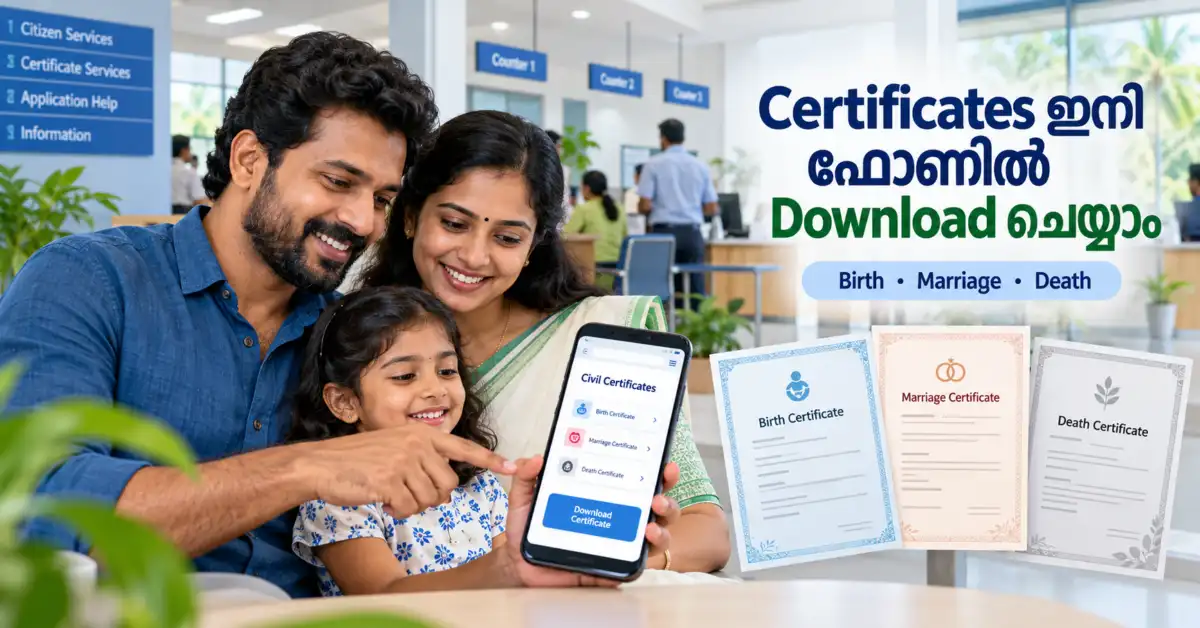
നിങ്ങളുടെയോ കുട്ടികളുടെയോ Birth Certificate, നിങ്ങളുടെ Marriage Certificate, അല്ലെങ്കിൽ കുടുംബത്തിലെ ഒരാളുടെ Death Certificate അത്യാവശ്യമായി വേണ്ടിവരുമ്പോൾ ഇപ്പോഴും പഞ്ചായത്ത്, Municipality, Corporation office അല്ലെങ്കിൽ Akshaya centre-ൽ പോയി ക്യൂ നിൽക്കേണ്ടി വരുമെന്നാണ് പലരും കരുതുന്നത്.
Passport application, school admission, Aadhaar-related correction, visa processing, insurance, pension, property matters തുടങ്ങി പല ആവശ്യങ്ങൾക്കും ഈ certificates ഇടയ്ക്കിടെ ആവശ്യമായി വരാറുണ്ട്.
ഇപ്പോൾ കേരളത്തിലെ Local Self Government services വലിയ തോതിൽ online ആയി ലഭ്യമാണ്. Kerala Government-ന്റെ K-SMART platform-ൽ Birth Certificate, Death Certificate, Marriage Certificate എന്നീ services പ്രത്യേകം ലഭ്യമാണ്. K-SMART-നെ Grama Panchayat ഉൾപ്പെടെയുള്ള local bodies-ലേക്ക് 2025 ഏപ്രിൽ 10 മുതൽ വ്യാപിപ്പിച്ചതായി LSGD ഔദ്യോഗികമായി പ്രഖ്യാപിച്ചിരുന്നു.
അതുകൊണ്ട് certificate നഷ്ടപ്പെട്ടാലോ മറ്റൊരു copy ആവശ്യമുണ്ടായാലോ ആദ്യം വീട്ടിൽ നിന്ന് തന്നെ mobile phone ഉപയോഗിച്ച് online search ചെയ്യാം.
K-SMART എന്താണ്?
K-SMART – Kerala Solution for Managing Administrative Reformation and Transformation എന്നത് Kerala Local Self Government Department-ന്റെ unified digital platform ആണ്.
Birth, Death, Marriage registration മുതൽ Property Tax, Building Permit, Trade Licence, complaints തുടങ്ങിയ വിവിധ local-government services ഒരേ portal-ലേക്ക് കൊണ്ടുവരുകയാണ് ഇതിന്റെ ലക്ഷ്യം. K-SMART-ൽ Birth Certificate, Marriage Certificate, Death Certificate എന്നീ services നിലവിൽ പ്രത്യേകം list ചെയ്തിട്ടുണ്ട്.
K-SMART homepage-ൽ തന്നെ “Find Certificate” എന്ന Quick Service ലഭ്യമാണ്.
Birth Certificate Online-ൽ Download ചെയ്യാമോ?
അതെ. Birth registration record system-ൽ ലഭ്യമാണെങ്കിൽ certificate online ആയി search ചെയ്ത് download ചെയ്യാം.
Kerala LSGD-യുടെ official instructions പ്രകാരം Birth Certificate search ചെയ്യുമ്പോൾ Date of Birth കൂടാതെ Mother’s Name അല്ലെങ്കിൽ mother’s name-ന്റെ ആദ്യത്തെ മൂന്ന് English letters ആവശ്യമായി വരാം. അതുകൊണ്ട് “ജനിച്ച വർഷവും പേരും മാത്രം മതി” എന്ന രീതിയിൽ കരുതാതിരിക്കുന്നതാണ് നല്ലത്; portal ചോദിക്കുന്ന mandatory details നൽകണം.
ഉദാഹരണത്തിന് ഒരു കുട്ടി 15 March 2015-ന് ജനിച്ചതാണെങ്കിൽ exact Date of Birth അറിയുന്നത് search വളരെ എളുപ്പമാക്കും. Mother-ന്റെ പേര് certificate registration സമയത്ത് എങ്ങനെ നൽകിയിരുന്നുവെന്ന് അറിയുന്നതും സഹായിക്കും.
Birth Certificate ഫോണിൽ എങ്ങനെ Download ചെയ്യാം?
ഫോണിലെ Chrome പോലുള്ള browser തുറന്ന് K-SMART official website സന്ദർശിക്കുക. Homepage-ൽ Find Certificate അല്ലെങ്കിൽ Services section തുറക്കുക.
തുടർന്ന് Birth Registration വിഭാഗത്തിൽ Birth Certificate തിരഞ്ഞെടുക്കുക. Current K-SMART services page-ൽ Birth Certificate, Birth New Registration, Name Inclusion, Name Correction തുടങ്ങിയ services പ്രത്യേകം ലഭ്യമാണ്.
തുടർന്ന് portal ആവശ്യപ്പെടുന്ന വിവരങ്ങൾ നൽകുക. സാധാരണയായി District, Local Body details, Date of Birth, Mother’s Name തുടങ്ങിയ വിവരങ്ങൾ ആവശ്യമായി വരാം.
Search result-ൽ ശരിയായ വ്യക്തിയുടെ registration കണ്ടെത്തിയാൽ certificate preview പരിശോധിച്ച് PDF ആയി save/download ചെയ്യുക.
ഫോണിൽ download ചെയ്ത PDF പിന്നീട് WhatsApp, Email, Google Drive എന്നിവയിൽ secure backup ആയി സൂക്ഷിക്കുന്നത് നല്ലതാണ്.
Death Certificate എങ്ങനെ Download ചെയ്യാം?
Death Certificate-ഉം K-SMART-ൽ പ്രത്യേകം ലഭ്യമാണ്.
Official K-SMART Death Certificate search page നിലവിൽ District, Local Body Type, Local Body, Date of Death, deceased person’s name തുടങ്ങിയ വിവരങ്ങൾ ഉപയോഗിച്ച് search ചെയ്യാനുള്ള fields കാണിക്കുന്നു. Name-ന്റെ കുറഞ്ഞത് ആദ്യത്തെ മൂന്ന് English letters നൽകാനുള്ള facility-യും portal നൽകുന്നു.
അതുകൊണ്ട് Death Certificate search ചെയ്യുന്നതിന് മുൻപ് മരണ തീയതിയും പേര് certificate-ൽ വന്നിരിക്കാവുന്ന spelling-ഉം തയ്യാറാക്കി വയ്ക്കുക.
Search result ലഭിച്ചാൽ record verify ചെയ്ത് certificate download ചെയ്യാം.
Marriage Certificate Online-ൽ കിട്ടുമോ?
അതെ. K-SMART-ന്റെ Civil Registration module-ൽ Marriage Certificate പ്രത്യേകം service ആയി ലഭ്യമാണ്. Marriage registration-നും correction-നും services portal-ൽ ഉണ്ട്.
LSGD-യുടെ official information പ്രകാരം K-SMART വഴി marriage-registration related services online ആയി access ചെയ്യാം; Video KYC പോലുള്ള സംവിധാനങ്ങളും marriage registration workflow-ൽ ഉൾപ്പെടുത്തിയിട്ടുണ്ട്.
Existing Marriage Certificate download ചെയ്യാൻ K-SMART-ൽ Find Certificate / Marriage Certificate route ഉപയോഗിക്കുക. Portal കാണിക്കുന്ന marriage details നൽകുകയും matching record തിരഞ്ഞെടുക്കുകയും ചെയ്യുക.
Marriage certificate search-ൽ ആവശ്യപ്പെടുന്ന exact fields certificate type, registration data എന്നിവ അനുസരിച്ച് മാറാനിടയുള്ളതിനാൽ screen-ൽ കാണിക്കുന്ന mandatory fields തന്നെയാണ് follow ചെയ്യേണ്ടത്.
എല്ലാ Certificates-നും Login നിർബന്ധമാണോ?
K-SMART homepage-ൽ Find Certificate quick service നേരിട്ട് ലഭ്യമാണ്. ചില certificate searches public quick-search വഴി നടത്താൻ സാധിക്കും. എന്നാൽ correction, name inclusion, new registration അല്ലെങ്കിൽ മറ്റു application-based services ഉപയോഗിക്കുമ്പോൾ citizen login/mobile verification ആവശ്യമായി വന്നേക്കാം.
അതിനാൽ പഴയ certificate copy മാത്രം കണ്ടെത്താനാണെങ്കിൽ ആദ്യം Find Certificate പരീക്ഷിക്കുക.
“Original Certificate” തന്നെയാണോ PDF ആയി കിട്ടുന്നത്?
Portal-ൽ നിന്ന് ലഭിക്കുന്ന certificate സർക്കാർ digital system-ിൽ നിന്നുള്ള certificate ആണ്. അതിനെ casual screenshot ആയി മാത്രം save ചെയ്യുന്നതിനേക്കാൾ PDF file ആയി download ചെയ്യുന്നതാണ് നല്ലത്.
Certificate ഉപയോഗിക്കുന്ന Passport Office, School, Bank, Embassy അല്ലെങ്കിൽ മറ്റ് authority ആവശ്യപ്പെടുന്ന format എന്താണെന്ന് പ്രത്യേകം പരിശോധിക്കുക. ചില ആവശ്യങ്ങൾക്ക് digitally issued certificate മതിയാകാം; ചില പ്രത്യേക സാഹചര്യങ്ങളിൽ additional verification/certified copy ആവശ്യപ്പെടാം.
വളരെ പഴയ Birth Certificate കിട്ടുമോ?
പഴയ records-ന്റെ availability registration year, local body, digitisation/migration status എന്നിവയെ ആശ്രയിക്കും.
Kerala Akshaya-യുടെ official service information പ്രകാരം 1970 മുതൽ Birth/Death certificates Akshaya centres വഴി print ചെയ്യാനുള്ള സംവിധാനം ഉണ്ടായിട്ടുണ്ട്. അതിനാൽ നിരവധി പഴയ civil-registration records digitised systems-ൽ ലഭ്യമാണ്.
എന്നാൽ “1970 മുതലുള്ള എല്ലാ certificates-വും K-SMART-ൽ തീർച്ചയായും ലഭിക്കും” എന്ന് പറയുന്നത് ശരിയല്ല. പഴയ record K-SMART search-ൽ കാണുന്നില്ലെങ്കിൽ record ഇല്ല എന്ന് അതിലൂടെ മാത്രം തീരുമാനിക്കരുത്.
Local body-യിൽ പഴയ register record ഉണ്ടായിരിക്കാം.
Certificate Search-ൽ Result കാണുന്നില്ലെങ്കിൽ എന്ത് ചെയ്യണം?
ആദ്യം spelling പരിശോധിക്കുക. Person’s name, mother’s name തുടങ്ങിയവ registration സമയത്ത് നൽകിയ spelling-നൊപ്പം match ആകാത്തത് search fail ആകാൻ കാരണമാകാം.
Date തെറ്റാണോ എന്നും പരിശോധിക്കുക. Birth Certificate-ൽ actual Date of Birth ആണ് നൽകേണ്ടത്; Death Certificate-ൽ Date of Death.
ശരിയായ Panchayat / Municipality / Corporation തിരഞ്ഞെടുക്കുന്നുണ്ടോ എന്നും ഉറപ്പാക്കുക. Birth അല്ലെങ്കിൽ Death എവിടെ register ചെയ്തുവോ ആ registration unit ആണ് പ്രധാനപ്പെട്ടത്.
പഴയ legacy record system-ിലേക്ക് migrate ചെയ്തിട്ടില്ലെങ്കിൽ concerned local body-യെയോ Akshaya centre-യെയോ സമീപിക്കേണ്ടിവരാം.
Gram Panchayat Certificate ആണെങ്കിൽ എന്താണ് ചെയ്യേണ്ടത്?
ഇവിടെ ചെറിയൊരു കാര്യമാണ് ശ്രദ്ധിക്കേണ്ടത്.
LSGD-യുടെ ചില നിലവിലുള്ള Birth/Death procedure pages Gram Panchayat certificates-ന് പഴയ ILGMS Citizen Portal workflow-നെ ഇപ്പോഴും reference ചെയ്യുന്നുണ്ട്. അതേസമയം Kerala Government 2025 ഏപ്രിൽ മുതൽ K-SMART-നെ Grama, Block, District Panchayats-ലേക്ക് statewide rollout ചെയ്തിട്ടുണ്ട്; current K-SMART portal Birth, Death, Marriage certificate services list ചെയ്യുകയും ചെയ്യുന്നു.
അതുകൊണ്ട് 2026-ൽ ആദ്യം K-SMART Find Certificate ഉപയോഗിക്കുന്നത് practical ആണ്. പഴയ Panchayat certificate കിട്ടുന്നില്ലെങ്കിൽ concerned local body-യിൽ legacy record സംബന്ധിച്ച് enquiry ചെയ്യുക.
Certificate-ൽ പേര് തെറ്റാണെങ്കിൽ പുതിയ certificate download ചെയ്താൽ ശരിയാകുമോ?
ഇല്ല.
Original registration record-ൽ spelling mistake ഉണ്ടെങ്കിൽ PDF വീണ്ടും download ചെയ്താലും അതേ data തന്നെയായിരിക്കും വരിക.
അത്തരം സാഹചര്യങ്ങളിൽ Correction application നൽകണം.
K-SMART services-ൽ Birth Name Correction, Birth Registration Correction, Marriage Correction, Death Registration Inclusions and Corrections തുടങ്ങിയ services ഉൾപ്പെടുത്തിയിട്ടുണ്ട്.
LSGD-യും Birth/Death registration-ൽ ഉണ്ടായ errors നിയമപ്രകാരം rectify ചെയ്യാൻ provision ഉണ്ടെന്ന് വ്യക്തമാക്കുന്നു.
കുട്ടിയുടെ പേര് Birth Certificate-ൽ ഇല്ലെങ്കിൽ?
ചില പഴയ Birth Certificates-ൽ child name ചേർക്കാതെ registration നടത്തിയിട്ടുണ്ടാകാം.
ഇത്തരം സാഹചര്യങ്ങളിൽ വെറും certificate download ചെയ്തതുകൊണ്ട് പേര് automatically വരില്ല. Name Inclusion procedure follow ചെയ്യണം.
K-SMART Birth Registration services-ൽ Birth Name Inclusion പ്രത്യേകം ലഭ്യമാണ്.
അതുകൊണ്ട് “No Name” / blank name certificate കിട്ടിയാൽ Name Inclusion service പരിശോധിക്കുക.
Birth അല്ലെങ്കിൽ Death ഇതുവരെ Register ചെയ്തിട്ടില്ലെങ്കിൽ?
Certificate download ചെയ്യാൻ ആദ്യം event officially register ചെയ്തിരിക്കണം.
LSGD official guidance പ്രകാരം birth/death സാധാരണയായി occurrence-ന്റെ 21 ദിവസത്തിനുള്ളിൽ register ചെയ്യേണ്ടതാണ്. Delay ഉണ്ടായാൽ period അനുസരിച്ച് late-registration procedure മാറും; ഒരു വർഷത്തിന് ശേഷമുള്ള delayed registration-ന് higher-level permission ആവശ്യമായേക്കാം.
അതുകൊണ്ട് record search-ൽ ഇല്ലെങ്കിൽ “certificate download problem” ആണോ “event registration നടന്നിട്ടില്ല” എന്നാണോ ആദ്യം കണ്ടെത്തുക.
Certificate Download ചെയ്യാൻ Akshaya Centre പോകേണ്ടതുണ്ടോ?
Online record ലഭ്യമാണെങ്കിൽ പല സാഹചര്യങ്ങളിലും സ്വന്തം mobile phone ഉപയോഗിച്ച് തന്നെ certificate access ചെയ്യാം. K-SMART-ന്റെ ലക്ഷ്യം local-government services physical office visit ഇല്ലാതെ online ആയി നൽകുക എന്നതാണ്.
എന്നാൽ online search ചെയ്യാൻ ബുദ്ധിമുട്ടുള്ളവർക്ക് Akshaya centre ഇപ്പോഴും ഒരു സഹായമാർഗമാണ്.
അതായത് Akshaya service ഇല്ലാതായിട്ടില്ല; സ്വയം ചെയ്യാൻ കഴിയുന്നവർക്ക് office visit ഒഴിവാക്കാം എന്നതാണ് പ്രധാനപ്പെട്ട കാര്യം.
Certificate Download ചെയ്യാൻ Fee ഉണ്ടോ?
Simple online certificate search/download-ന് portal screen-ൽ കാണിക്കുന്ന current fee information പരിശോധിക്കുക. Certificate issue, correction, delayed registration, Akshaya service തുടങ്ങിയ സാഹചര്യങ്ങളിൽ charge വ്യത്യാസപ്പെടാം.
Akshaya-യുടെ published service page Birth/Death/Marriage certificate print service-ന് service charge രേഖപ്പെടുത്തിയിട്ടുണ്ട്. അതിനാൽ “എല്ലാ സാഹചര്യത്തിലും certificate പൂർണ്ണമായും free” എന്ന് പൊതുവായി പറയുന്നത് ഒഴിവാക്കുന്നതാണ് സുരക്ഷിതം.
സ്വന്തം ഫോണിൽ K-SMART വഴി search ചെയ്യുമ്പോൾ payment ആവശ്യപ്പെട്ടാൽ official portal-ൽ കാണുന്ന charge മാത്രം അടയ്ക്കുക.
Fake Website-ുകളിൽ വിവരങ്ങൾ നൽകരുത്
Google-ൽ “Birth Certificate Download Kerala” എന്ന് search ചെയ്യുമ്പോൾ official site പോലെ കാണിക്കുന്ന private websites വരാം.
അതുകൊണ്ട് personal details, mobile number, Aadhaar information തുടങ്ങിയവ നൽകുന്നതിന് മുമ്പ് site official Kerala Government / LSGD portal ആണെന്ന് ഉറപ്പാക്കുക.
K-SMART Government of Kerala Local Self Government Department-ന്റെ official platform ആണ്.
Mobile-ൽ Certificate Save ചെയ്ത ശേഷം എന്ത് ചെയ്യണം?
PDF download ചെയ്താൽ phone-ന്റെ Downloads folder-ൽ മാത്രം വെച്ചാൽ പിന്നീട് delete ആകാൻ സാധ്യതയുണ്ട്.
അതുകൊണ്ട് certificate-ന്റെ PDF copy Google Drive, Email അല്ലെങ്കിൽ മറ്റൊരു secure cloud storage-ൽ backup ചെയ്യുക.
File name വ്യക്തമായി മാറ്റാനും കഴിയും.
ഉദാഹരണം:
Akhil_Birth_Certificate.pdf
അല്ലെങ്കിൽ
Marriage_Certificate_2022.pdf
ഇങ്ങനെ save ചെയ്താൽ വർഷങ്ങൾക്ക് ശേഷവും എളുപ്പത്തിൽ കണ്ടെത്താം.
Certificate Print എടുക്കാമോ?
PDF download ചെയ്ത ശേഷം സാധാരണ printer ഉപയോഗിച്ചോ nearby print shop-ൽ നിന്നോ print എടുക്കാം.
എന്നാൽ ഒരു authority certified physical copy പ്രത്യേകം ആവശ്യപ്പെടുന്നുണ്ടെങ്കിൽ അവരുടെ requirement ആദ്യം പരിശോധിക്കുക. സാധാരണ photocopy/printout മതിയോ digitally verifiable certificate വേണമോ എന്ന് receiving authority ആണ് തീരുമാനിക്കുന്നത്.
Step-by-Step: മൂന്ന് Certificates-നും എളുപ്പത്തിലുള്ള വഴി
- Mobile-ൽ Chrome തുറന്ന് official K-SMART website open ചെയ്യുക. Homepage-ൽ Find Certificate തിരഞ്ഞെടുക്കുക.
- Birth Certificate / Death Certificate / Marriage Certificate ഇതിൽ ആവശ്യമുള്ളത് തിരഞ്ഞെടുക്കുക. ഈ മൂന്ന് services-ും current K-SMART service list-ൽ ലഭ്യമാണ്.
- District, Local Body, date, name തുടങ്ങിയ portal ആവശ്യപ്പെടുന്ന details നൽകുക. Birth search-ന് Date of Birth + Mother’s Name details, Death search-ന് Date of Death + deceased person’s name എന്നിവ പ്രധാനമാണ്.
- Matching result വന്നാൽ name, date, local body തുടങ്ങിയ വിവരങ്ങൾ ശ്രദ്ധിച്ച് verify ചെയ്യുക. തെറ്റായ ആളിന്റെ certificate download ചെയ്യരുത്.
- Correct record open ചെയ്ത് certificate PDF save/download ചെയ്യുക. പിന്നീട് secure backup എടുത്തുവയ്ക്കുക.
Frequently Asked Questions
Birth Certificate download ചെയ്യാൻ Aadhaar number വേണമോ?
Simple certificate search-ന് Aadhaar number എല്ലായ്പ്പോഴും primary search field അല്ല. Birth Certificate സംബന്ധിച്ച official instructions Date of Birth, Mother’s Name തുടങ്ങിയ details ആണ് വ്യക്തമാക്കുന്നത്.
Date of Birth അറിയാം, പക്ഷേ Mother’s Name spelling അറിയില്ലെങ്കിൽ?
Registration സമയത്ത് ഉപയോഗിച്ച English spelling ഓർത്തുനോക്കുക. Official guidance Mother’s Name അല്ലെങ്കിൽ first three English letters ഉപയോഗിക്കുന്ന search-നെ കുറിച്ച് പറയുന്നു.
Death Certificate download ചെയ്യാൻ എന്ത് വേണം?
K-SMART search page-ൽ Date of Death, deceased person’s name, District, Local Body തുടങ്ങിയ fields കാണിക്കുന്നു.
Marriage Certificate K-SMART-ൽ ലഭ്യമാണോ?
അതെ. Marriage Certificate K-SMART-ന്റെ current Civil Registration services-ൽ ഉൾപ്പെടുത്തിയിട്ടുണ്ട്.
20 വർഷം പഴയ Birth Certificate കിട്ടുമോ?
പല പഴയ records digitised ആയി ലഭ്യമാണ്. Akshaya official information Birth/Death certificates from 1970 സംബന്ധിച്ച print service രേഖപ്പെടുത്തുന്നുണ്ട്. എന്നാൽ particular record online K-SMART-ൽ ലഭ്യമാകുന്നത് migration/digitisation status അനുസരിച്ചിരിക്കും.
Certificate search ചെയ്തിട്ടും record കിട്ടുന്നില്ലെങ്കിൽ?
Spelling, date, correct local body എന്നിവ വീണ്ടും പരിശോധിക്കുക. പിന്നെയും record കാണുന്നില്ലെങ്കിൽ concerned Panchayat/Municipality/Corporation അല്ലെങ്കിൽ Akshaya centre-ൽ enquiry ചെയ്യുക.
ചുരുക്കത്തിൽ
Birth Certificate, Marriage Certificate, Death Certificate എന്നിവയ്ക്കായി എല്ലാ സമയത്തും നേരിട്ട് Panchayat office അല്ലെങ്കിൽ Akshaya centre-ൽ പോകേണ്ട സാഹചര്യം ഇനി ഇല്ല.
Kerala Government-ന്റെ K-SMART portal-ൽ Birth, Death, Marriage Certificate services ലഭ്യമാണ്; mobile phone ഉപയോഗിച്ച് വീട്ടിൽ നിന്ന് തന്നെ certificate search ചെയ്യാം.
എന്നാൽ ശരിയായ result ലഭിക്കാൻ certificate type അനുസരിച്ച് Date, Name, Mother’s Name, Local Body തുടങ്ങിയ correct details നൽകണം.
പഴയ record online-ൽ കാണുന്നില്ലെങ്കിൽ record ഇല്ല എന്ന് കരുതാതെ concerned local body-യിൽ അന്വേഷിക്കുക.
Official Portal
Kerala K-SMART – Official Local Government Portal
Disclaimer
ഈ ലേഖനം പൊതുവായ information purpose-നായി തയ്യാറാക്കിയതാണ്. K-SMART interface, required search fields, fees, legacy-record availability, correction procedures എന്നിവ Government updates അനുസരിച്ച് മാറാം. Certificate ഉപയോഗിക്കുന്നതിന് മുമ്പ് വിവരങ്ങൾ verify ചെയ്യുകയും ആവശ്യമായ സാഹചര്യത്തിൽ concerned Local Self Government Institution-നെ സമീപിക്കുകയും ചെയ്യുക.