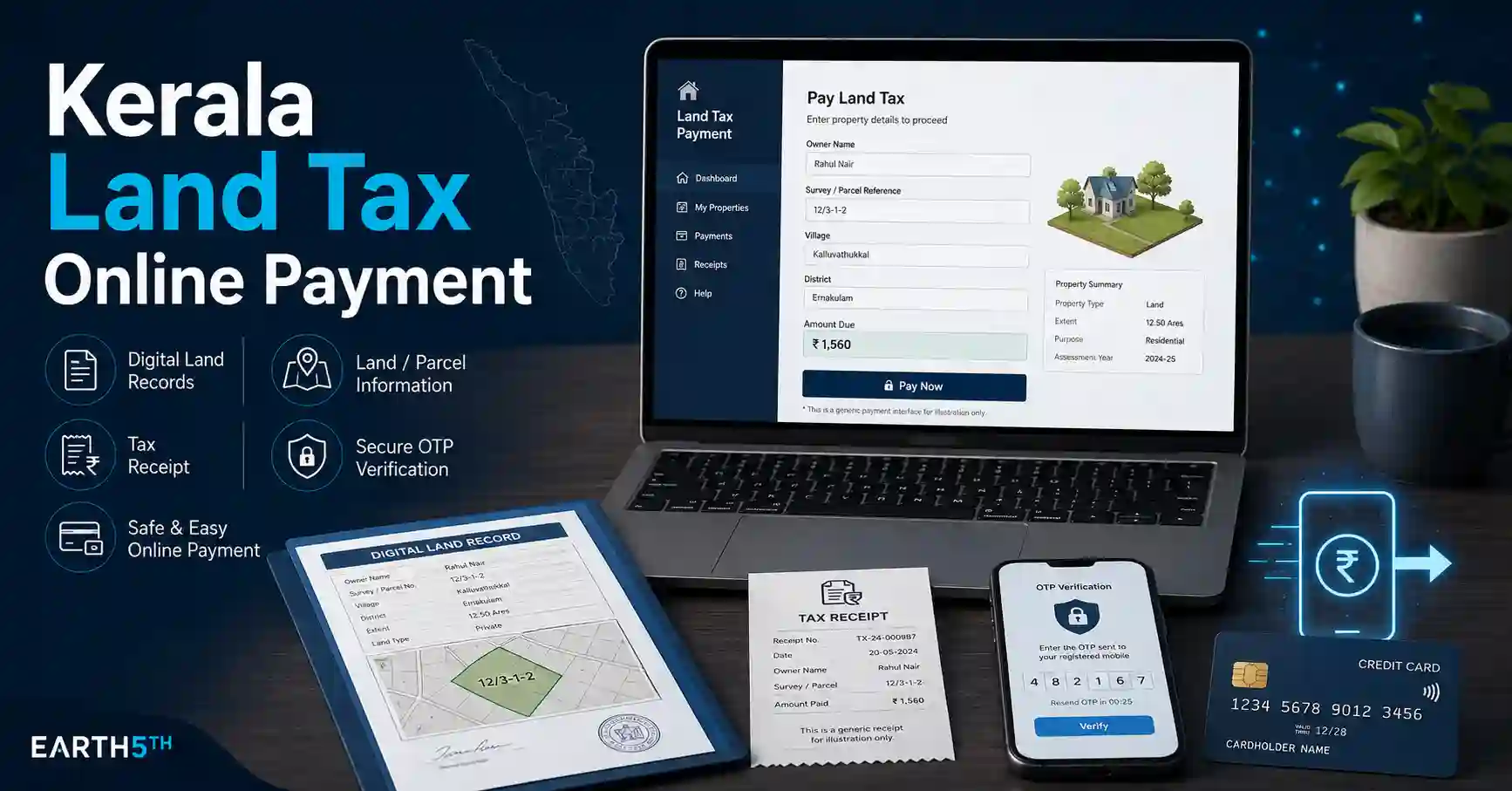
കേരളത്തിലെ ഭൂമിയുടെ land tax / കരം Village Office-ൽ നേരിട്ട് പോയി മാത്രം അടയ്ക്കണമെന്നില്ല. Kerala Revenue Department-ന്റെ Revenue eServices ഉപയോഗിച്ച് eligible land records-ന് Kerala Land Tax Online Payment നടത്താനും payment history സൂക്ഷിക്കാനും receipt വീണ്ടും ലഭിക്കാനും കഴിയും.
Revenue Department വ്യക്തമാക്കുന്നതനുസരിച്ച് online-enabled villages-ൽ Revenue Land Information System (ReLIS) അടിസ്ഥാനമാക്കിയുള്ള e-Payment സംവിധാനം ഉപയോഗിച്ച് taxes online ആയി remit ചെയ്യാം. Registered users-നും ചില eligible land records-ന് registration ഇല്ലാതെ Quick Pay ഉപയോഗിക്കുന്നവർക്കുമായി വ്യത്യസ്ത payment routes നിലവിലുണ്ട്.
ആദ്യം മനസ്സിലാക്കുക: Land Taxയും Property Taxയും ഒരേ കാര്യമല്ല
Land Tax / Land Revenue സംബന്ധിച്ച online service Kerala Revenue Department-ന്റെ Revenue eServices portal വഴിയാണ്.
വീട് അല്ലെങ്കിൽ building-ന്റെ Property Tax Local Self Government Department-ന്റെ service ആണ്. LSGDയുടെ official e-Payment pages Property Tax-നെ പ്രത്യേകം service ആയി കാണിക്കുന്നു. അതിനാൽ building tax അടയ്ക്കേണ്ടവർ Revenue eServices land-tax option ഉപയോഗിക്കരുത്.
ഈ guide ഭൂമിയുടെ land tax / കരം online ആയി അടയ്ക്കുന്നതിനെക്കുറിച്ചാണ്.
Kerala Revenue eServices എന്താണ്?
Kerala Revenue Department-ന്റെ online citizen-services platform ആണ് Revenue eServices.
Revenue Department പ്രകാരം portal വഴി taxes, fees എന്നിവ online ആയി remit ചെയ്യാനും individual login-ൽ previous remittance history digital ആയി സൂക്ഷിക്കാനും കഴിയും.
Official portal-ൽ Land Tax പ്രധാന services-ലൊന്നായി തന്നെ കാണിക്കുന്നു.
Kerala Land Tax Online Payment ചെയ്യാൻ ആവശ്യമായ വിവരങ്ങൾ
Payment തുടങ്ങുന്നതിന് മുമ്പ് താഴെപ്പറയുന്ന details തയ്യാറാക്കി വയ്ക്കുന്നത് നല്ലതാണ്:
- District
- Taluk
- Village
- Block
- Thandapper Number
- Survey Number
- Sub Division Number, applicable ആണെങ്കിൽ
- Land holder / Payee Name
- Mobile Number
- Email ID
- Previous land-tax receipt details, ചില registered-user cases-ൽ ആവശ്യമായി വരാം
Official Revenue e-Payment user guide Quick Pay-ൽ District, Taluk, Village, Block, Payee Name, Thandapper Number, Survey/Sub Division Number എന്നിവ ഉപയോഗിക്കുന്നതായി വ്യക്തമാക്കുന്നു.
Thandapper Number എന്താണ്?
Village revenue records-ൽ land holding തിരിച്ചറിയാൻ ഉപയോഗിക്കുന്ന പ്രധാന reference ആണ് Thandapper Number.
Online land-tax payment സമയത്ത് land record retrieve ചെയ്യുന്നതിനായി Thandapper Number കൂടാതെ Survey/Sub Division details ആവശ്യമായി വരാം.
പഴയ land-tax receipt കൈവശമുണ്ടെങ്കിൽ ഈ വിവരങ്ങൾ കണ്ടെത്താൻ അത് സഹായിക്കും.
Kerala Land Tax Online Payment ചെയ്യാനുള്ള രണ്ട് പ്രധാന വഴികൾ
Revenue Departmentന്റെ official user guide രണ്ട് workflows കാണിക്കുന്നു:
- Quick Pay
- Payment for Registered Users
നിങ്ങളുടെ land record portal-ൽ എങ്ങനെ ലഭ്യമാണ് എന്നതനുസരിച്ച് അനുയോജ്യമായ route ഉപയോഗിക്കാം.
Method 1: Quick Pay വഴി Land Tax അടയ്ക്കുന്നത് എങ്ങനെ?
Official Revenue e-Payment guide പ്രകാരം Quick Pay പ്രധാനമായും online Pokkuvaravu പൂർത്തിയാക്കിയ eligible users-ന് registration ഇല്ലാതെ land tax അടയ്ക്കാനുള്ള option ആണ്.
Step 1: Official Revenue eServices Portal തുറക്കുക
Kerala Revenue Department-ന്റെ official Revenue eServices portal തുറക്കുക.
Domain:
revenue.kerala.gov.in
എന്നതാണെന്ന് ഉറപ്പാക്കുക.
Personal land records, Thandapper Number, mobile number തുടങ്ങിയ വിവരങ്ങൾ unofficial websites-ൽ നൽകാതിരിക്കുക.
Step 2: Quick Pay തിരഞ്ഞെടുക്കുക
Portal home/payment section-ൽ ലഭ്യമായ Quick Pay option തിരഞ്ഞെടുക്കുക.
Quick Pay eligibility ഇല്ലെങ്കിൽ registered-user workflow ആവശ്യമായി വരാം.
Step 3: Land Location തിരഞ്ഞെടുക്കുക
Official guide പ്രകാരം:
- District
- Taluk
- Village
- Block
എന്നിവ select ചെയ്യുക.
Land സ്ഥിതി ചെയ്യുന്ന revenue village തന്നെയാണ് തിരഞ്ഞെടുക്കേണ്ടത്.
Step 4: Payee Name നൽകുക
Tax ആരുടെ പേരിലാണ് അടയ്ക്കേണ്ടത് എന്നതനുസരിച്ച് Payee Name നൽകുക.
Record-ലെ land-holder details ലഭിച്ച ശേഷം spelling പരിശോധിക്കുക.
Step 5: Thandapper & Survey Details നൽകുക
തുടർന്ന്:
- Thandapper Number
- Survey Number
- Sub Division Number
എന്നിവ നൽകുക.
ശേഷം Details option ഉപയോഗിക്കുക. Official guide പ്രകാരം record കണ്ടെത്തിയാൽ area, Thandapper holder, tax amount details എന്നിവ screen-ൽ ലഭിക്കും.
Step 6: Land Details പരിശോധിക്കുക
Payment ചെയ്യുന്നതിന് മുമ്പ്:
- Land holder
- Area
- Survey/Sub Division
- Tax amount
എന്നിവ നിങ്ങളുടെ record-നോട് match ചെയ്യുന്നുണ്ടെന്ന് ഉറപ്പാക്കുക.
Wrong property/land record-ലേക്ക് payment നടത്താതിരിക്കാൻ ഈ verification പ്രധാനമാണ്.
Step 7: Mobile Number, Email നൽകുക
Official Quick Pay guide mobile number, email ID എന്നിവ നൽകുകയും One Time Password (OTP) ഉപയോഗിക്കുകയും ചെയ്യുന്ന flow കാണിക്കുന്നു.
OTP മറ്റൊരാളുമായി share ചെയ്യരുത്.
Step 8: Pay Tax തിരഞ്ഞെടുക്കുക
Details ശരിയാണെന്ന് ഉറപ്പാക്കിയ ശേഷം Pay Tax തിരഞ്ഞെടുക്കുക.
Official Revenue e-Payment manual Quick Pay flow-ൽ internet banking വഴി payment നടത്തുന്നതായി വ്യക്തമാക്കുന്നു. Live payment gateway-ൽ ലഭിക്കുന്ന current payment methods മാത്രം ഉപയോഗിക്കുക.
Step 9: Payment Confirmation ലഭിക്കുന്നത് വരെ കാത്തിരിക്കുക
Bank/payment screen-ൽ transaction പൂർത്തിയായതിന് ശേഷം Revenue portal confirmation ലഭിച്ചിട്ടുണ്ടെന്ന് ഉറപ്പാക്കുക.
Browser close ചെയ്യുന്നതിന് മുമ്പ്:
- Transaction status
- Receipt
- Reference information
എന്നിവ save ചെയ്യുക.
Method 2: Registered User ആയി Land Tax Pay ചെയ്യുന്നത് എങ്ങനെ?
Regular ആയി land-tax payments ചെയ്യേണ്ടവർക്ക് Revenue eServices account ഉപയോഗിക്കുന്നത് payment history, receipt reprint തുടങ്ങിയ കാര്യങ്ങൾക്ക് സഹായകരമാണ്.
Current Revenue eServices login page normal users-ന് registered mobile ഉപയോഗിച്ച് login ചെയ്യാനുള്ള facility കാണിക്കുന്നു. New users-ന് Sign Up option-ഉം ലഭ്യമാണ്.
Step 1: Revenue eServices Account Create ചെയ്യുക
New user ആണെങ്കിൽ official portal-ലെ Sign Up തിരഞ്ഞെടുക്കുക.
Current registration page:
- Full Name
- Address information
- Mobile Number
- Account information
എന്നിവ ചോദിക്കുന്നു. Registration-ന് Indiaയിൽ valid ആയ mobile number വേണമെന്ന് portal വ്യക്തമാക്കുന്നു.
Step 2: Login ചെയ്യുക
Account create ചെയ്ത ശേഷം Revenue eServices-ൽ Login ചെയ്യുക.
Normal users-ന് registered mobile number username ആയി ഉപയോഗിക്കുന്നതായി current portal വ്യക്തമാക്കുന്നു.
Step 3: New Request തിരഞ്ഞെടുക്കുക
Official user guide പ്രകാരം:
Login → Menu → New Request
എന്ന flow ഉപയോഗിക്കുക.
Step 4: District, Taluk, Village, Block തിരഞ്ഞെടുക്കുക
Land സ്ഥിതി ചെയ്യുന്ന:
- District
- Taluk
- Village
- Block
കൃത്യമായി select ചെയ്യുക.
Step 5: Thandapper & Survey Number നൽകുക
തുടർന്ന്:
- Thandapper Number
- Survey/Sub Division Number
നൽകുക.
Portal land details കണ്ടെത്തിയാൽ area details, land-holder details, tax amount details എന്നിവ ലഭിക്കും.
Step 6: Record Found ആണെങ്കിൽ Pay Tax ചെയ്യുക
Land details system-ൽ already ലഭിച്ചാൽ displayed details പരിശോധിച്ച് Pay Tax option ഉപയോഗിക്കാം.
Wrong survey number അല്ലെങ്കിൽ wrong land-holder record ആണെങ്കിൽ payment തുടരരുത്.
“Area Not Found” വന്നാൽ എന്ത് ചെയ്യണം?
Registered-user workflow-ൽ land details automatically കണ്ടെത്താത്ത സാഹചര്യം official Revenue user guide പ്രത്യേകം കാണിക്കുന്നുണ്ട്.
അപ്പോൾ:
- Add Area Details നൽകുക.
- Land Holder Details ചേർക്കുക.
- Applicable tax amount details നൽകുക.
- Last tax paid date നൽകുക.
- Previous receipt number നൽകുക.
- Remarks ആവശ്യമായാൽ നൽകുക.
- Request Submit ചെയ്യുക.
ഇത്തരം request ആദ്യം Village Officer approval-നായി പോകുമെന്ന് official guide വ്യക്തമാക്കുന്നു.
Village Officer Approval കഴിഞ്ഞാൽ Payment എങ്ങനെ?
Official guide പ്രകാരം approval കഴിഞ്ഞാൽ registered user-ന് SMS ലഭിക്കാം.
ശേഷം:
Login → Menu → My Request → Pay Now
എന്ന route ഉപയോഗിച്ച് approved tax amount online ആയി അടയ്ക്കാം.
Approval ലഭിക്കുന്നതിന് മുമ്പ് duplicate request വീണ്ടും നൽകാതിരിക്കുക.
Land Tax Receipt Download / Reprint എങ്ങനെ?
Registered users-ന് payment history പരിശോധിക്കാനുള്ള facility Revenue portal നൽകുന്നു.
Official user guide പ്രകാരം:
Login → Menu → Transaction History
തുറന്നാൽ previous paid details കാണാനും receipt reprint ചെയ്യാനും കഴിയും.
Payment വിജയിച്ചാൽ receipt PDF അല്ലെങ്കിൽ available receipt copy ഉടൻ save ചെയ്യുന്നത് നല്ലതാണ്.
Sandes App ഉപയോഗിച്ചാൽ എന്ത് പ്രയോജനം?
Kerala Revenue Department current portal Sandes app സംബന്ധിച്ച option-ും നൽകുന്നു.
ReLIS-ൽ നൽകിയ mobile number ഉപയോഗിച്ച് Sandes-ൽ register ചെയ്താൽ supported Revenue services-ന്റെ:
- OTP
- Application status
- Online payment information
- Tax receipt
- Approved documents
തുടങ്ങിയവ Sandes വഴി ലഭിക്കാമെന്ന് Revenue Department വ്യക്തമാക്കുന്നു.
ഇത് നിർബന്ധമല്ലെങ്കിലും Revenue-related notifications നഷ്ടപ്പെടാതിരിക്കാൻ സഹായകമാകാം.
Payment Failed ആയാൽ വീണ്ടും ഉടൻ Pay ചെയ്യണോ?
Payment screen error കാണിച്ചാലോ browser close ആയാലോ ഉടൻ വീണ്ടും payment ചെയ്യുന്നതിന് മുമ്പ് transaction status പരിശോധിക്കുക.
പ്രത്യേകിച്ച്:
- Bank account-ൽ amount debit ആയിട്ടുണ്ടോ?
- Transaction History-ൽ payment കാണുന്നുണ്ടോ?
- Receipt generated ആയോ?
എന്നിവ പരിശോധിക്കുക.
Amount debit ആയിട്ടും Revenue receipt ലഭിച്ചില്ലെങ്കിൽ duplicate payment നടത്തുന്നതിന് മുമ്പ് portal status അല്ലെങ്കിൽ official Revenue support പരിശോധിക്കുക.
Thandapper Details കാണുന്നില്ലെങ്കിൽ
താഴെ പറയുന്ന കാര്യങ്ങൾ പരിശോധിക്കുക:
Wrong Village Selected
Current address അടിസ്ഥാനമാക്കി village തിരഞ്ഞെടുക്കാതെ land revenue record ഉൾപ്പെട്ട village തിരഞ്ഞെടുക്കണം.
Survey Number തെറ്റായിരിക്കാം
Old receipt/deed/official land record നോക്കി Survey Number, Sub Division Number വീണ്ടും verify ചെയ്യുക.
Land Record Online ആയി ലഭ്യമല്ല
System area കണ്ടെത്തുന്നില്ലെങ്കിൽ registered-user workflow-ൽ Add Area Details വഴി Village Officer approval ആവശ്യമായേക്കാമെന്ന് official user guide പറയുന്നു.
Pokkuvaravu / Mutation സംബന്ധിച്ച Issue
Quick Pay mainly online Pokkuvaravu completed records-നായി official manual വിവരിക്കുന്നു. അതിനാൽ പുതിയ ownership change അല്ലെങ്കിൽ mutation-related record update പൂർത്തിയായിട്ടില്ലെങ്കിൽ Quick Pay ലഭിക്കാതിരിക്കാം.
Online Payment ചെയ്യുമ്പോൾ ശ്രദ്ധിക്കേണ്ട സുരക്ഷാ കാര്യങ്ങൾ
Land records financial/personal information ഉൾക്കൊള്ളുന്നതിനാൽ:
- revenue.kerala.gov.in domain മാത്രം ഉപയോഗിക്കുക.
- OTP share ചെയ്യരുത്.
- Unknown WhatsApp links വഴി tax pay ചെയ്യരുത്.
- Search ads കാണുന്ന private websites ഒഴിവാക്കുക.
- Payment കഴിഞ്ഞ് official receipt save ചെയ്യുക.
- Public computer-ൽ login details save ചെയ്യരുത്.
- Wrong Thandapper / Survey details ഉപയോഗിച്ച് payment നടത്തരുത്.
Common Mistakes
Kerala Land Tax Online Payment ചെയ്യുമ്പോൾ സാധാരണ ഒഴിവാക്കേണ്ട തെറ്റുകൾ:
- Property Tax portal-നെ Land Tax portal ആയി തെറ്റിദ്ധരിക്കുക
- Wrong District/Taluk/Village തിരഞ്ഞെടുക്കുക
- Thandapper Number തെറ്റായി നൽകുക
- Survey/Sub Division details പരിശോധിക്കാതിരിക്കുക
- Land holder details verify ചെയ്യാതെ payment നടത്തുക
- Payment error വന്ന ഉടൻ വീണ്ടും payment നടത്തുക
- Receipt download/save ചെയ്യാതിരിക്കുക
- Area Not Found വന്നപ്പോൾ തെറ്റായ land details ചേർക്കുക
- Village Officer approval pending ആയിരിക്കുമ്പോൾ duplicate request നൽകുക
Kerala Land Taxയും Property Taxയും: ഏത് Portal ഉപയോഗിക്കണം?
ഇത് ഓർക്കാൻ എളുപ്പമാണ്:
ഭൂമിയുടെ കരം / Land Tax:
Kerala Revenue Department → Revenue eServices
Building / Property Tax:
Local Self Government Department → Property Tax service
LSGDയുടെ official portal Property Tax-നെ Local Government service ആയി പ്രത്യേകം നൽകുന്നു, അതേസമയം Revenue Department portal Land Tax service നൽകുന്നു.
ചുരുക്കത്തിൽ
Kerala Land Tax Online Payment നടത്താൻ Kerala Revenue Department-ന്റെ official Revenue eServices portal ഉപയോഗിക്കാം.
Eligible online Pokkuvaravu records-ന് Quick Pay വഴി registration ഇല്ലാതെ District, Taluk, Village, Block, Thandapper, Survey/Sub Division details നൽകി tax amount കണ്ടെത്തി payment നടത്താം.
Registered users-ന് New Request വഴി land record retrieve ചെയ്ത് payment ചെയ്യാം. Record കാണുന്നില്ലെങ്കിൽ area/holder details submit ചെയ്ത് Village Officer approval ആവശ്യമായി വരാം. Payment കഴിഞ്ഞാൽ Transaction History വഴി previous payments പരിശോധിക്കാനും receipt reprint ചെയ്യാനും കഴിയും.
Frequently Asked Questions
1. Kerala Land Tax online ആയി അടയ്ക്കാമോ?
അതെ. Kerala Revenue Department Revenue eServices/ReLIS അടിസ്ഥാനമാക്കിയുള്ള online land-tax payment facility നൽകുന്നു.
2. Account ഇല്ലാതെ Land Tax അടയ്ക്കാമോ?
Official Revenue user guide പ്രകാരം eligible online Pokkuvaravu records-ന് Quick Pay വഴി registration ഇല്ലാതെ payment നടത്താം.
3. Online Land Tax payment-ന് എന്ത് details വേണം?
Quick Pay official guide District, Taluk, Village, Block, Payee Name, Thandapper Number, Survey/Sub Division Number, email, mobile എന്നിവ ഉപയോഗിക്കുന്നതായി വ്യക്തമാക്കുന്നു.
4. Land details portal-ൽ കാണുന്നില്ലെങ്കിൽ എന്ത് ചെയ്യണം?
Registered-user workflow-ൽ Area Not Found ആണെങ്കിൽ area/land-holder information ചേർത്ത് request Village Officer approval-ന് submit ചെയ്യാനുള്ള option official guide നൽകുന്നു.
5. Paid Land Tax Receipt വീണ്ടും download ചെയ്യാമോ?
Registered users-ന് Transaction History വഴി paid details കാണാനും receipt reprint ചെയ്യാനും കഴിയുമെന്ന് Revenue Department user guide വ്യക്തമാക്കുന്നു.
6. Land Tax അടയ്ക്കാൻ K-SMART/Sanchaya ആണോ ഉപയോഗിക്കേണ്ടത്?
Land Tax-ന് Kerala Revenue Department Revenue eServices ആണ് relevant service. LSGD/Sanchaya Property Tax പോലുള്ള Local Government payments-നുള്ള സംവിധാനമാണ്.
Disclaimer: ഈ ലേഖനം Kerala Revenue online services സംബന്ധിച്ച പൊതുവായ digital guidance മാത്രമാണ്. Portal interface, payment methods, land-record availability, approval procedures എന്നിവ update ചെയ്യപ്പെടാം. Payment നടത്തുന്നതിന് മുമ്പ് official Kerala Revenue Department portal-ൽ കാണുന്ന current details verify ചെയ്യുക.
Official Sources
- Kerala Revenue Department — Revenue eServices Portal Open official Revenue eServices
- Kerala Revenue Department — Revenue e-Payment User Guide Open official user guide
- Kerala Revenue Department — Official Portal Open Kerala Revenue Department
- Kerala LSGD — Property Tax e-Payment Open LSGD Property Tax page